Ad clicks but no sales? Find the first broken step before rebuilding your store
Follow the path from ad click to payment to find where shoppers get stuck. Check links, product information, delivery costs and checkout before redesigning.

The ads get clicks. The store gets no orders. You change the creative, then the page, and still cannot tell what is wrong. Before changing more, find the first point where the shopping journey breaks down.
A T-shirt store owner asked for help with this problem. Reported clicks do not establish that every visitor loaded the page successfully. They also do not, by themselves, establish that nobody wants the product.
1. Did the visitor reach the right page?
Check the ad link, target region and device. Follow the journey on a comparable phone. A page that fails to load, opens the wrong country version or disappears behind a pop-up can lose someone before they see the product.
Ad clicks and store sessions may use different definitions. Align dates, time zones, links and measurement definitions before interpreting the difference.
Alongside your own test, ask creators already involved in product trials in the target market to use their actual devices and describe where they get stuck. OneCrew is an AI workspace for creator discovery, conversations and follow-up. Give the AI the test requirements and existing context to prepare a request for review. This can turn “the page does not work” into a step you can reproduce.
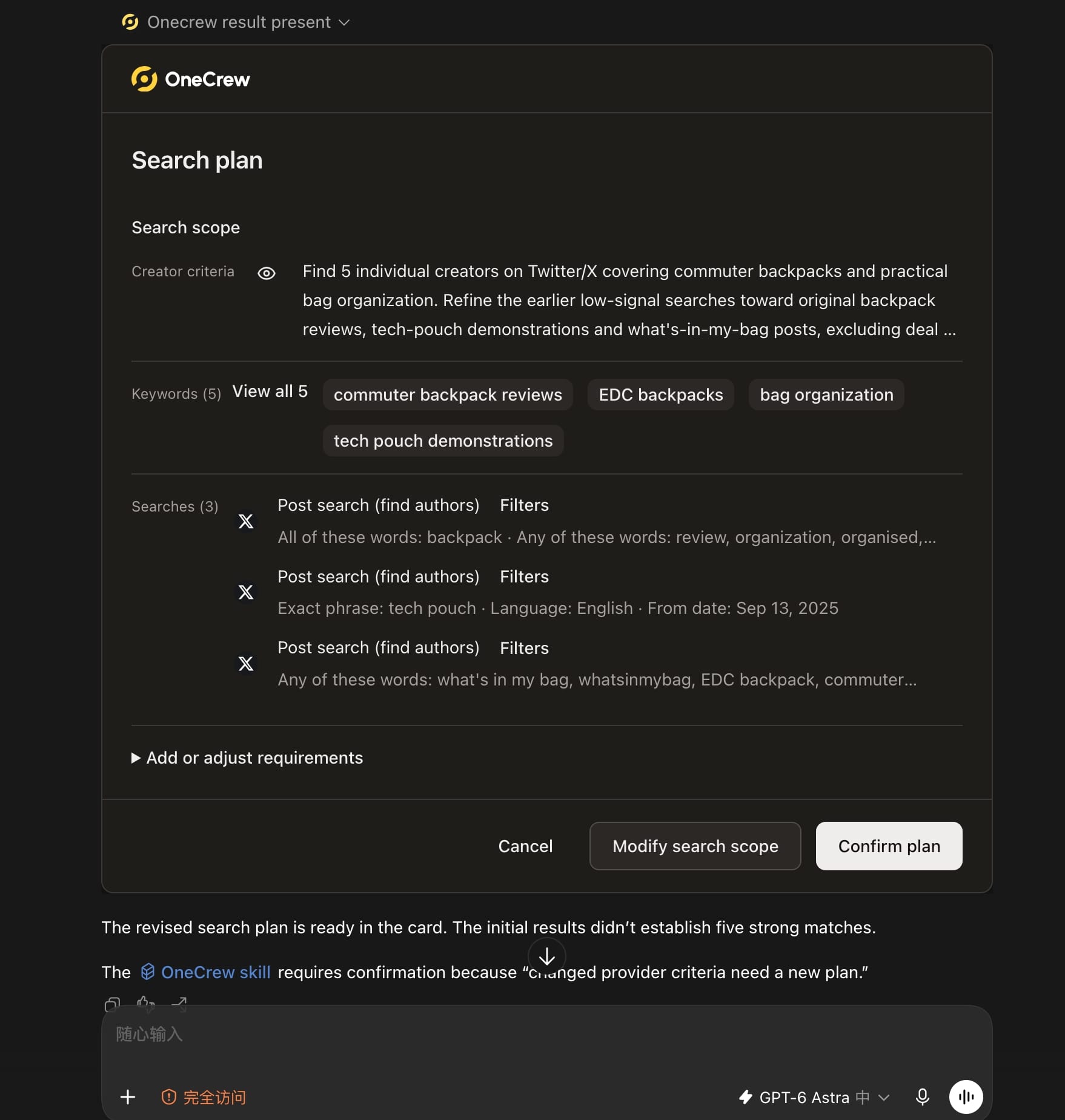
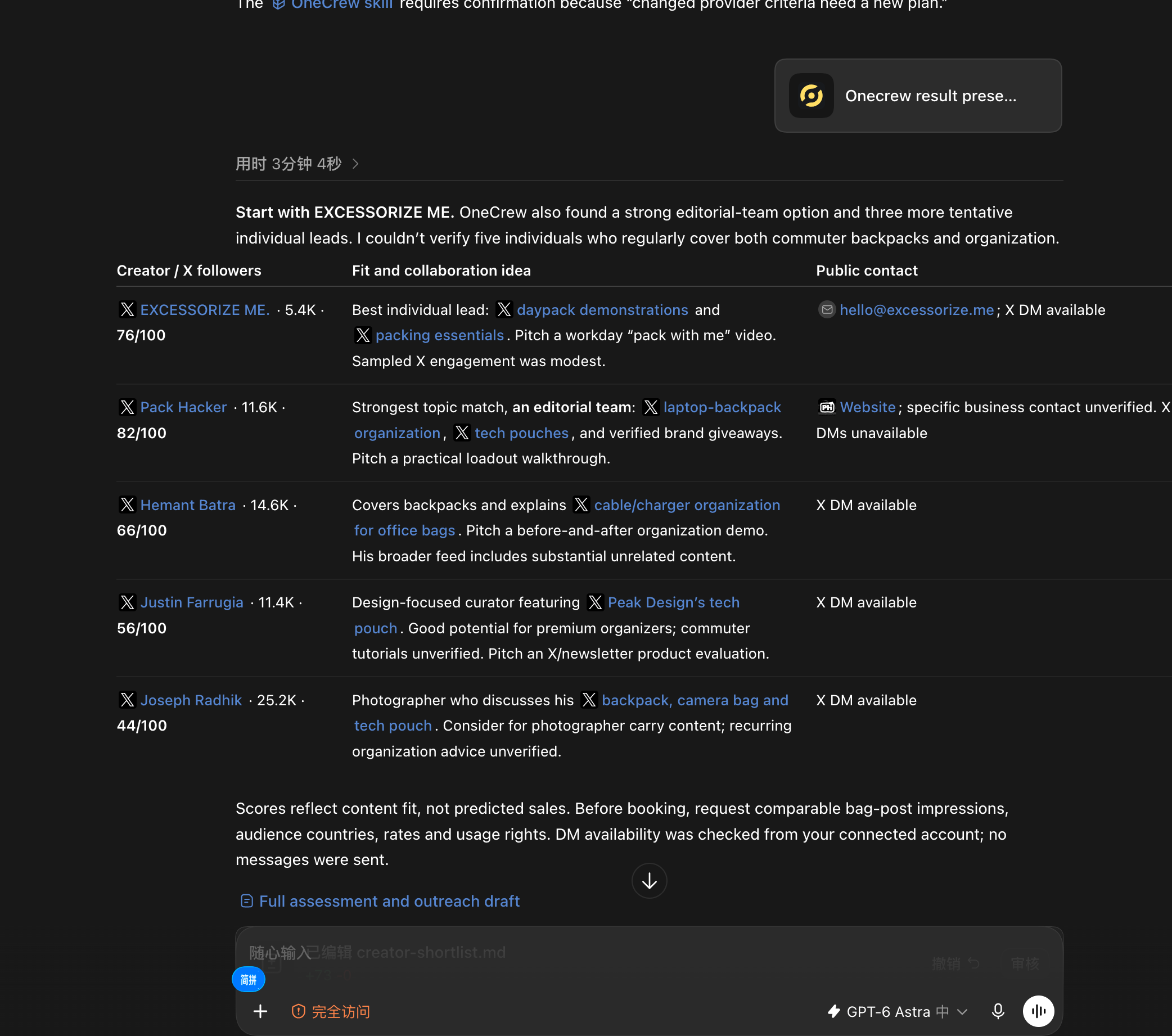
Once the immediate issue is clear, testing creator content creates another question: who should you approach, and where can you reach them? Ask an AI connected to OneCrew: “Use OneCrew to find 5 creators on Twitter who share commuter backpacks and bag organization tips. Help me figure out who would be a good fit for a collaboration and how to contact them.” Confirm the scope, then review each creator’s content evidence and public contact path.
2. Did they like the design, or want to buy the product?
Someone may click to inspect the artwork, follow an interesting topic or consider a purchase. One action does not reveal their entire motivation. Use relevant comments, inquiries and on-site behavior to form a hypothesis.
Make sure the ad explains what is for sale, which version it shows and where it is available. Check commercial-use rights for artwork, fonts and other assets separately.
3. Does the page answer the purchase questions?
Buyers need size, material, fit, the exact version shown, delivery information and return conditions where they are making the decision.
Ask someone close to your target customer to choose a size and explain the delivery terms. Watch where they hesitate. “Does the website look good?” is a much less useful test of whether they can buy confidently.
Find the participating creator's conversation in OneCrew and have the AI prepare a precise question from the product details and earlier reply: which size is unclear, or which version is confusing? Review and send the question, then pass the original feedback to the product owner. Resolve one obstacle instead of asking for another general opinion of the site.
4. Are cart costs and conditions clear in advance?
Check shipping charges, discount conditions, supported destinations and stock. A buyer can be interested all the way to checkout and only then discover that you do not deliver to their address.
Keep delivery claims and actual terms consistent. If free shipping applies only to certain regions, make those regions clear before the buyer gets to the final step.
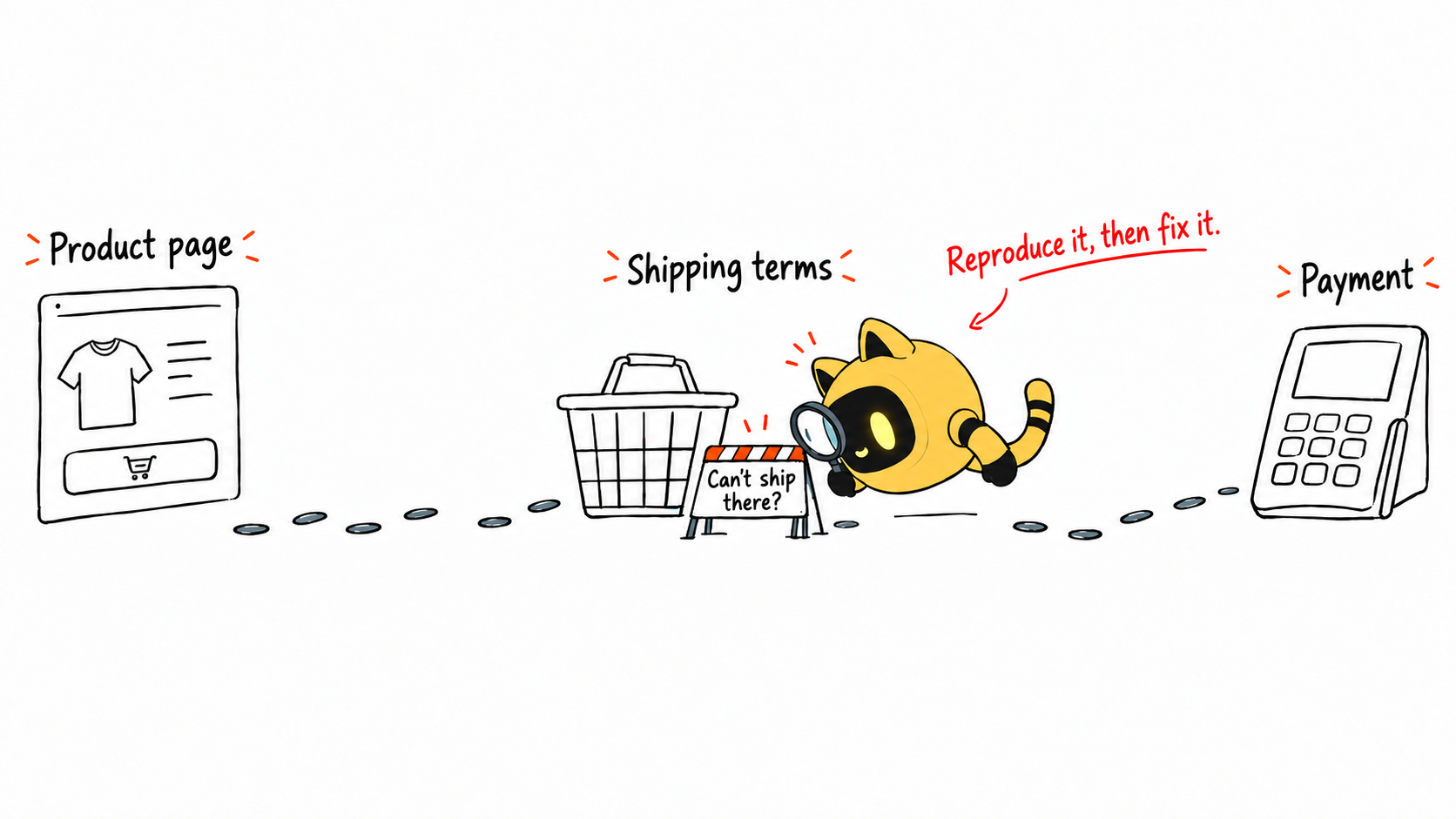
5. Can the customer complete payment?
Use the platform's supported test process to check the full checkout journey, especially mobile, main markets and enabled payment methods. Record the exact steps and errors. Keep tests separate from real customer orders.
If the evidence points to payment failure, involve the technical and payment owners first. That gives the confirmed problem a clear route to resolution.
Shopify's behavior-report documentation helps explain funnel measurements. Use the figures to locate a possible problem, then reproduce the actual experience.
| Earliest issue found | Initial owner | Next action |
|---|---|---|
| Wrong link or unavailable page | Ads and site team | Fix the link and retest |
| Audience expectations do not match the offer | Ads and content team | Clarify the message and run a controlled test |
| Missing size or specification details | Product team | Add the information and monitor questions |
| Conflicting shipping or promotion conditions | Store operations | Align displayed and actual terms |
| Checkout error | Technical and payment team | Investigate the recorded reproduction steps |
Should you pause the ads?
If the destination is unavailable or stock and payment errors clearly prevent purchases, address that before sending more visitors. If the path works but evidence is still limited, follow the budget and question set for the test. There is no universal click count that decides the answer for every store.
Base the next spend on what it can help you learn. Money already spent is not a reason to keep paying for a test that cannot answer the question.
Can you change several things to move faster?
Fix clear errors promptly and record when you changed them. Separate optimization hypotheses where practical: clarify sizing, then test a different audience direction. Several simultaneous changes make it harder to attribute the result.
End the review with a specific record: the earliest issue, its owner and the retest. Resolve what you can verify, then use the next round of evidence to choose the next change.
Turn product feedback into a clear next step
Earlier, we suggested asking someone close to your target customer to choose a size and explain the delivery terms. If you plan to involve creators in your target market in a product trial, give them specific questions: Is the sizing clear? Does the product match its presentation? What would they still want to know before buying? Use their feedback to decide what the page needs to explain.
Running that trial means finding suitable creators, explaining the brief and keeping track of replies. How do you keep those conversations moving without losing track of who needs a follow-up?
OneCrew is an AI workspace for brands to discover creators, manage outreach and follow up on collaborations. You can shortlist creators by market, category and content focus, then use your product information and feedback questions to prepare invitation drafts for review. OneCrew connects creator profiles, conversation history and collaboration progress so your team can summarize responses and prepare the next follow-up. Start with a small product-feedback collaboration and use the specific questions it surfaces to inform your next page update.
Start with the first confirmed problem
Walk through the journey from ad to payment. Record the earliest failure, assign it and repeat the same steps after the fix. That gives the next optimization a reliable starting point.
Reproduce the path from arrival to payment and fix the earliest confirmed problem. If creators are already testing the product, use OneCrew to organize their specific feedback, prepare clarifications and follow up after the change. Keep technical checks and first-hand feedback together when deciding what to improve next.



