Creator discovery, outreach or CRM: which tool do you need first?
Choose creator tools around the task holding your team back. Test discovery, outreach preparation and follow-up with the same workflow, then review results and migration effort.
Every creator marketing tool promises to make partnerships easier. After several demos, you still do not know whether you need more names or a better way to handle the people you already contacted.
Identify the step blocking the next partnership before choosing a tool. Give each option the same practical task, then compare whether you can verify the result, hand it to a teammate and maintain the workflow.
Identify the step that is actually stopping work
If few candidates have a convincing connection to the product, improve discovery and screening. If candidates are available but every invitation requires fresh research, improve outreach preparation. If replies arrive but conditions and next actions get lost, improve partnership records and follow-up.
Avoid describing every problem as “We need a system.” Find a specific recent incident, such as a quote sitting unanswered because nobody knew who should approve it.
OneCrew is an AI workspace connecting creator discovery, lead organization and outreach communication. Start by using it for that concrete task: verify a candidate, save an approved lead or prepare a reply using the existing conversation. Evaluate the result you can inspect rather than the feature label.
Give each option the same task
Prepare authorized product information and a small set of candidate details suitable for testing. Ask each option to support the same work: show the matching evidence, retain an approved lead, prepare a relevant invitation and retrieve the contact’s next step.
Check whether the result can be read back, its source can be located and the draft uses the right conditions. For a sending test, use a recipient you control and explicitly approved content.
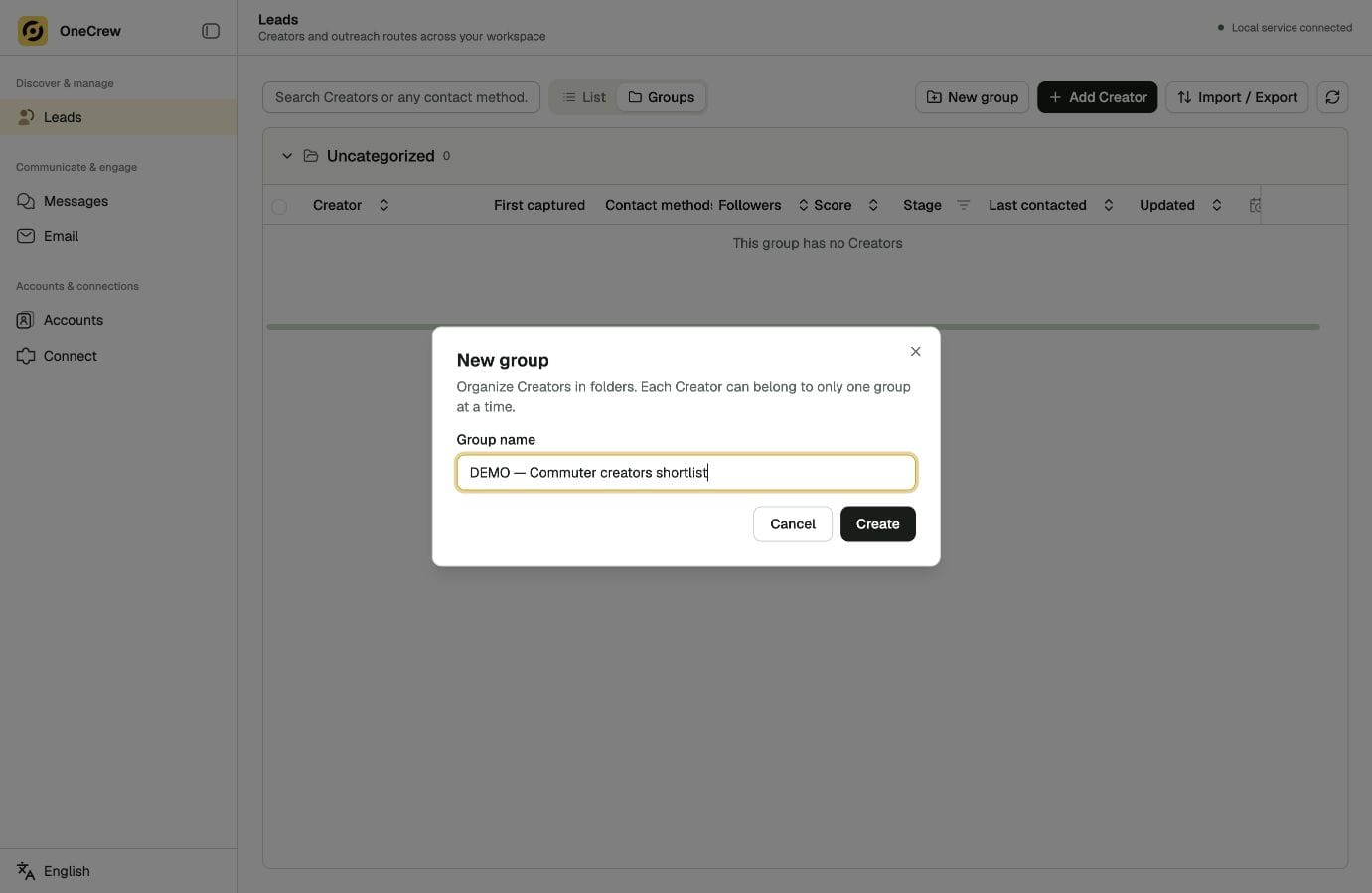
In OneCrew, check the required account and channel connection first. Ask your connected AI to search and save reviewed candidates, then read the group back. Provide the product information and contact reason to prepare a draft, and review it before proceeding to a send. This short cycle reveals which repeated steps have actually been reduced.
To test discovery, use this copyable prompt template and replace the platform, category and count:
Find [number] creators on [platform] who cover [product category or use case]. Explain the evidence for each creator’s collaboration fit and identify a public contact route.
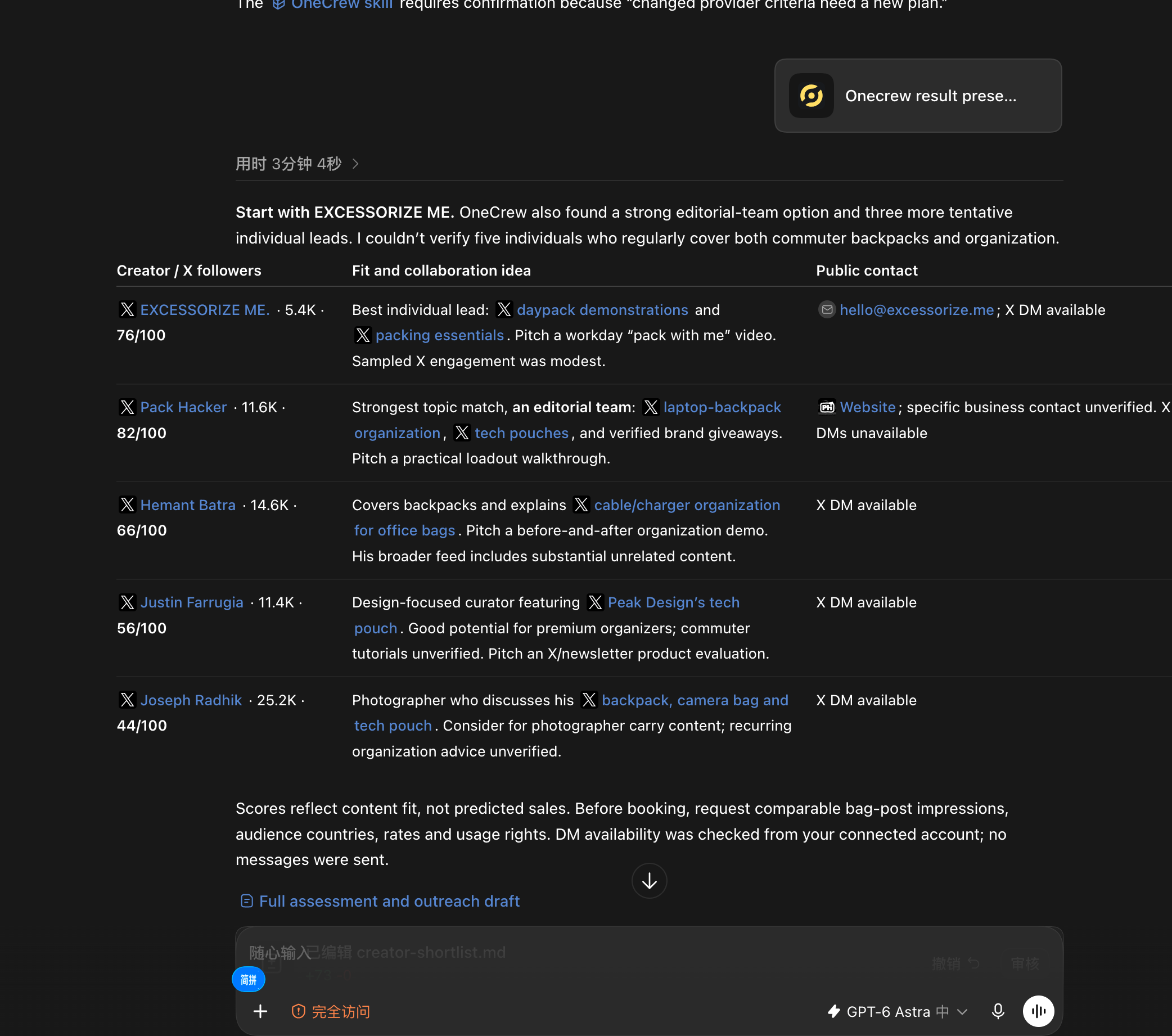
The OneCrew conversation below shows that search. Check the scope first, then assess the supporting evidence rather than grading the tool on the number of names returned.
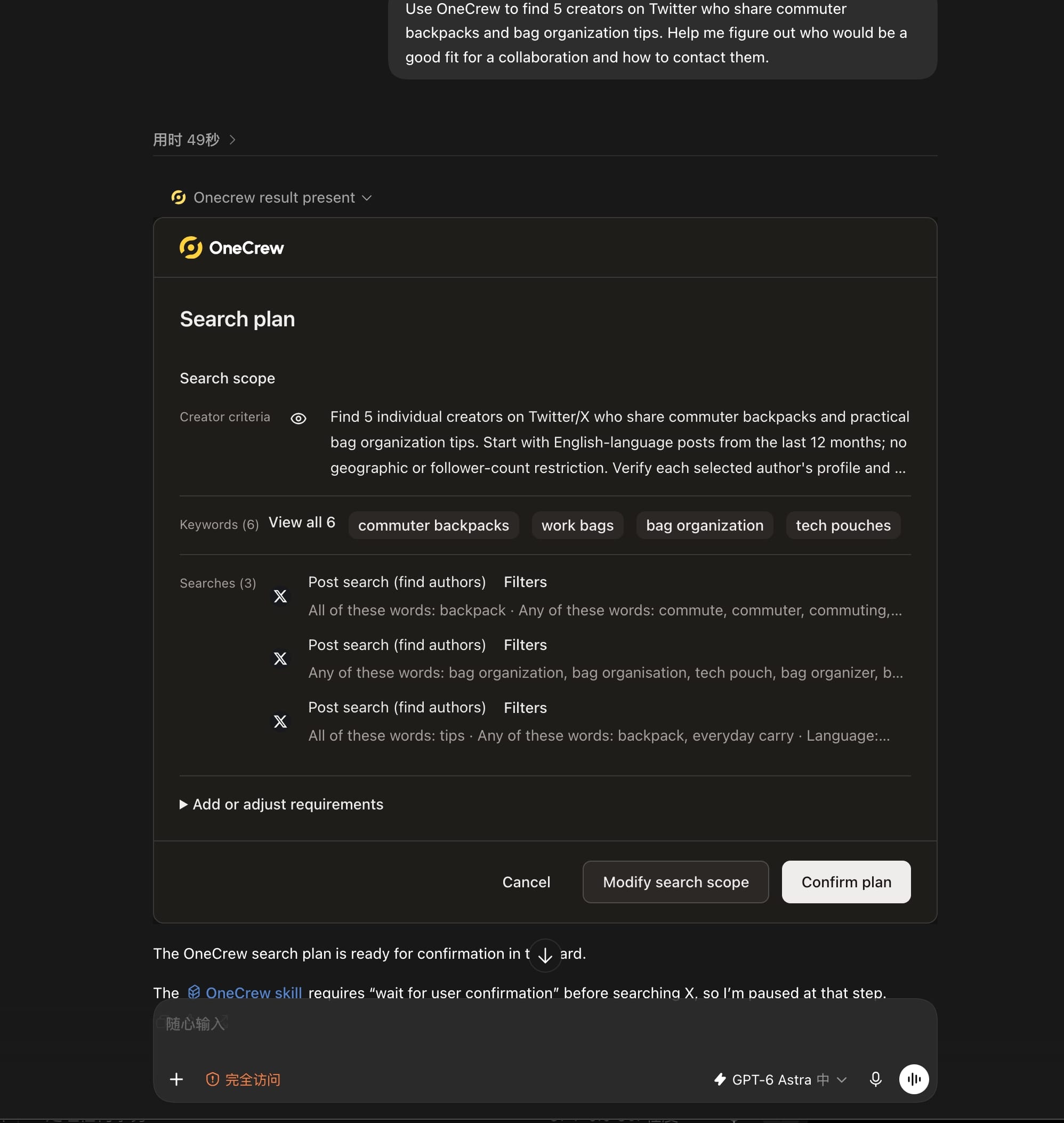
Evidence gaps belong in the assessment too. These results distinguish individuals from an editorial team and list different contact routes. Fit scores help prioritize review; saving leads, preparing drafts and continuing conversations should be tested in their respective steps.
| Current obstacle | Result to test |
|---|---|
| Poor candidate fit | Public sources and specific matching evidence |
| Repeated email preparation | Draft uses correct product and contact details |
| Replies without follow-up | Conditions have evidence; next action is retrievable |
| Migration uncertainty | Saved results can be checked and handed over |
Include migration and upkeep in the cost comparison
Alongside subscription costs, check the accounts and channels you need, data sources, usage limits, export and migration options, and ongoing maintenance work. Prices change; use current official information and your own test results.
Over the same evaluation period, record extra steps such as deduplicating leads, copying conversation history or reconstructing agreed terms. Do not count an untested automation as time saved.
When trying OneCrew, inspect a small set of real tasks: can you find the saved lead, is the relevant conversation in the expected context, and does the AI draft use the correct information? Compare those observed results with the actual cost of use.
Start with one campaign before expanding
Move one campaign first and check that records, ownership and next actions survive the handoff. Retain useful existing material while verifying the new records, so changing tools does not lose conditions already discussed.
Read the campaign’s OneCrew leads and correspondence back. Ask AI to prepare a handoff list of checked records, missing information and next actions, then review it. A successful change should let the team continue working.
Take one active campaign and use OneCrew for its most important discovery, saving or reply-preparation step. Expand only after that step works. Tool selection becomes a judgment about actual work rather than an abstract feature comparison.



