Give Creators Ad Feedback They Can Use
Turn ad results into useful creator feedback: verify the live edit, separate observations from hypotheses, and agree on one specific production change.

The media buyer says, “This one didn’t work. Try a different hook.” The creator has no idea which edit ran, who saw it, or what went wrong. They change the opening line and get the same feedback again.
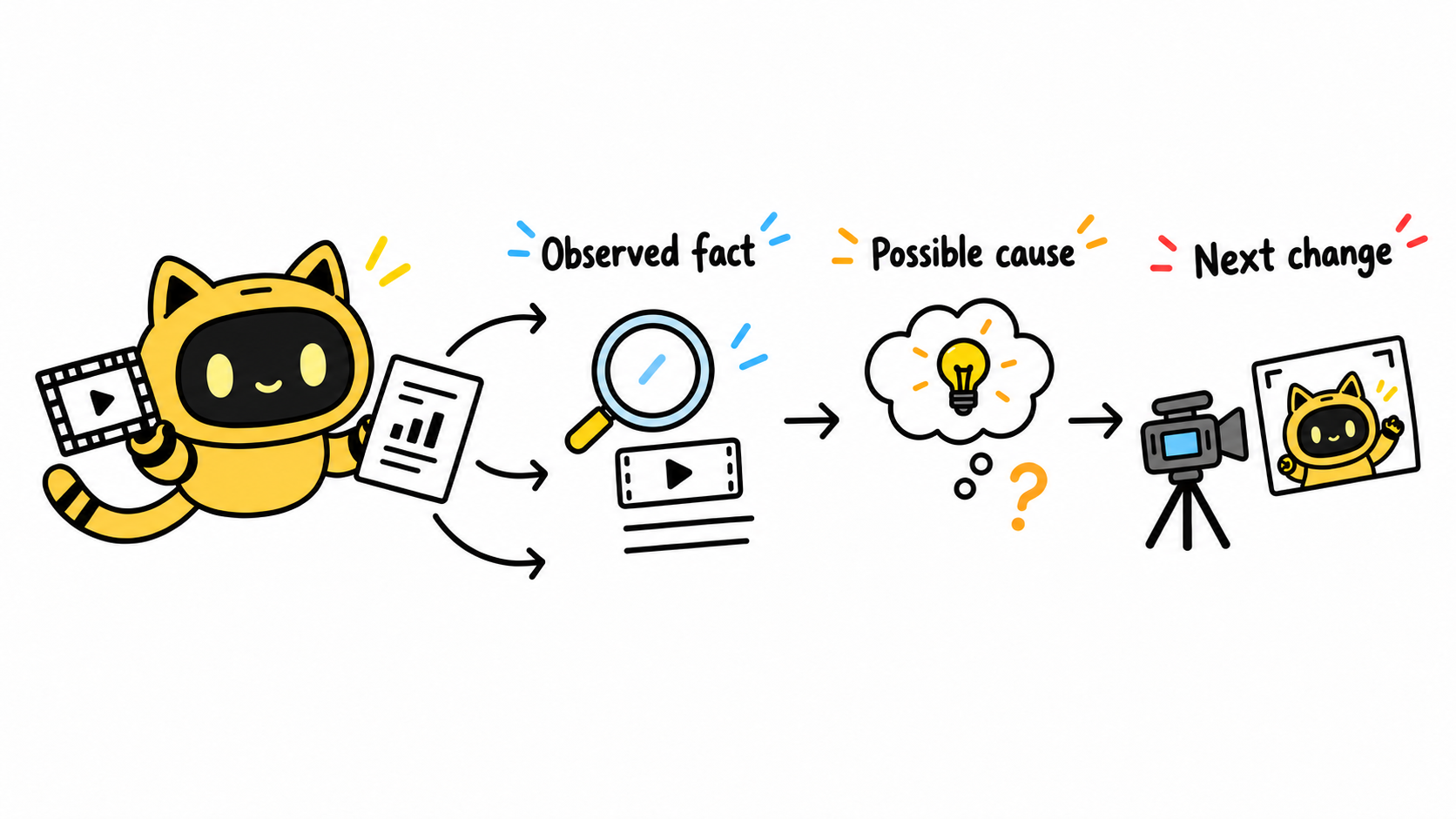
Useful creator feedback connects an actual ad version to an observation, a possible explanation, and one specific change to try next. The outcome should be a clear production request, not a verdict on the creator’s ability.
In one creator discussion, the poster described how difficult it was to get meaningful analytics from brands. A broad assessment may help a media buyer decide to pause an ad, but it rarely tells a creator what to film next.
Identify the version that actually ran
The creator’s delivery may have acquired a new opening, captions, soundtrack, or ending before launch. Ask the media buyer for the live edit and supporting results, along with the observation period, campaign objective, and audience context. Mark missing details as questions to resolve.
OneCrew helps brands organize creator information, collaboration emails, and working records. Keep the original delivery, ad edit, and results source together so the feedback starts with an identifiable asset. That avoids attributing an editing decision to footage the creator never delivered.
Separate the observation from the explanation
Imagine a backpack ad where viewers leave before the bag is opened. That is an observation to verify against the available data. “The introduction takes too long” is a hypothesis. Audience selection, placement, and delivery volume may also matter.
| Layer | What belongs here | Next action |
|---|---|---|
| Observed fact | Asset version, moment, metric, and time period | Have the data owner verify the evidence |
| Possible cause | Viewers may not see the main demonstration soon enough | Keep this as a hypothesis |
| Creative change | Open with the bag demonstration and shorten the setup | Confirm the new production scope |
Use separate fields in a OneCrew worksheet for these layers, then ask your connected AI to prepare a feedback draft from that material. During review, check that “may” has not become “definitely,” and that every number has a source.
Request one change the creator can act on
“Make it more engaging” is hard to deliver against. “Show the laptop coming out of the side opening before explaining the compartments” gives the creator something concrete to discuss. Specify what stays, what changes, and what the next version is intended to test.
If the next test also changes the audience, offer, or landing page, record that. A later difference in results cannot automatically be credited to the new opening.
Check the original agreement before treating a new ad concept as a revision. Fixing an agreed delivery requirement and commissioning another creative test can involve different fees, workload, and availability.
We reviewed [ad version] over [period and conditions]. The evidence shows [specific observation]; we are still checking the cause. For the next version, we would like to try [one change] while keeping [approved elements]. Please confirm the production scope, fee, and delivery timing. Supporting material: [source].
Close the loop on the previous request
Link the new asset to its feedback record. When results come back, first check whether the requested change actually ran and whether the comparison conditions changed. If the evidence is incomplete, collect it before asking for another shoot.
For the separate decision about renewing a partnership, see Which creators should you work with again? Review these four things.
Start with one recently tested asset in OneCrew. Bring together the actual ad version, a verified observation, and one proposed production change, then prepare the creator’s next email. Give them enough information to continue the work.



