Working with a Creator Agency: Which Decisions Should the Brand Own?
Define who approves creator selection, changed terms and release versions. Includes an approval email template and a practical OneCrew record-keeping workflow.

Your agency is already contacting creators, yet decisions keep landing back in your inbox. Can it accept this quote? Should it move forward with this candidate? Is tonight’s video approved to go live?
Before delegating execution, agree on what the agency can advance within the approved scope and which changes need a named brand decision-maker.“Keep us in the loop” is too vague. Each decision needs an owner, a specific version of the proposal and a response deadline.
Separate moving the work forward from approving it
Start with the next real campaign. The agency might prepare a shortlist, check availability and collect quotes. Approval of extra budget, additional usage or a final video should sit with whoever the two sides have explicitly assigned. This is an operating agreement for the project; external commitments should follow the authority already agreed between the parties.
For each decision, record who prepares the information, who gives the final answer, what changes require another approval and whom to contact if the answer is late. Give each decision one final approver. Route other stakeholders’ comments through a designated contact so the agency can respond with one coherent instruction.
OneCrew is an AI workspace for finding creators, handling email and maintaining partnership records. Give the AI connected to OneCrew your confirmed division of responsibilities. Have it read the existing partnership table’s fields, then organize the decision owner, open question and agreed response deadline in the relevant record. Review the names and scope before saving.
Make three common decision boundaries explicit
- Creator selection: the agency supplies the profile, relevant content, availability and quote. The brand confirms the fit criteria and which exceptions need discussion. Contacting someone is not a commitment to hire them.
- Changes to the arrangement: when price, deliverables, production scope or usage changes, the agency presents the original proposal, the revision and its consequences. The designated brand owner approves the response.
- Release approval: name the person approving the exact file, version and publishing details. Permission to chase revisions does not automatically include permission to release the video.
These are starting points for your own division of work. A small team may assign several roles to one person. What matters is being able to identify the final answer and the information it applied to.
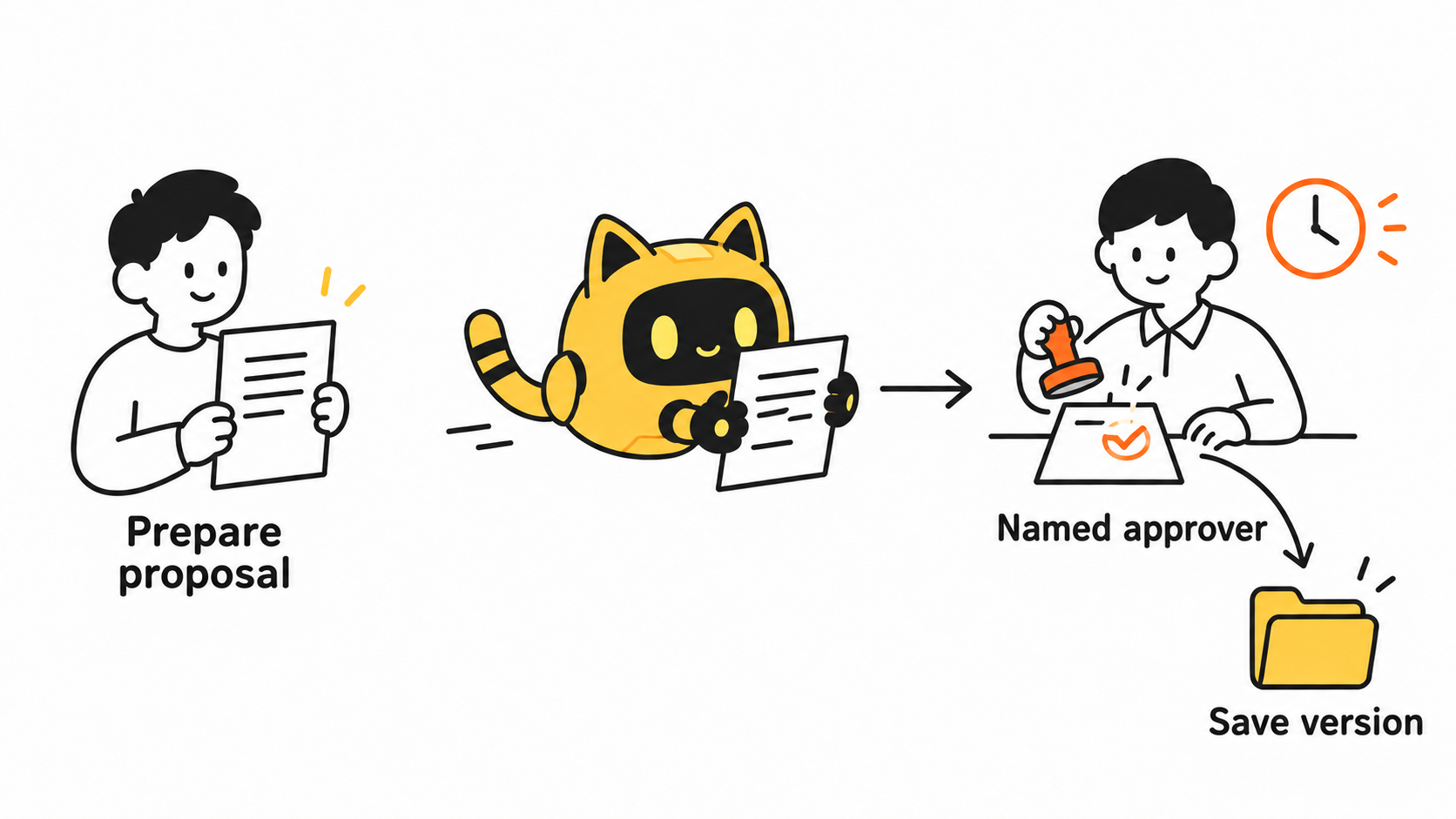
Send a request the approver can actually answer
“Please take a look” leaves the decision unclear. State what needs approval, which version is being reviewed, the options, the latest useful response time and the step affected by a delay. Include the time zone. Do not treat silence as approval.
In OneCrew, review the relevant email already synced to the workspace. Supply the latest quote or file link and ask the AI to prepare an approval email. Have it separate previously accepted terms from this revision so an old approval is not applied to new work. Check the recipients, attachments and deadline before sending.
Please confirm [decision] for [file link and version]. The original arrangement was [original terms]; the proposed change is [new terms and impact]. Could [approver] confirm the chosen option by [date, time and time zone]? If it remains unresolved, we will pause [affected step] and contact [escalation contact] to agree on a revised plan.
Replace the brackets with actual details. If the approver needs more information, collect it. Repeatedly forwarding the same reminder will not resolve a missing quote or an unclear scope.
Record what the answer actually covers
Approval of a budget does not necessarily include extra videos. “The visuals look good” does not establish that someone checked the purchase link. Keep the approver, response time, applicable version, approved scope and outstanding conditions together. When a version changes, identify the change and whether it requires another decision.
Use OneCrew to update the original partnership record with those verified details and references to the relevant correspondence or files. When preparing the next creator email, ask the AI to work from that confirmed record rather than someone’s recollection of what was agreed.
Review the arrangement after one working cycle
Look for decisions that bounced between people, questions nobody answered and routine actions that kept returning for approval despite being within the agreed scope. Adjust the required information, response ownership or delegated authority accordingly.
If the bottleneck is conflicting content revisions, see how to send a creator one actionable feedback list. The ownership record here answers the earlier question of who can make which decision for the brand.
Start with one active creator project in OneCrew. Document three pending decisions, the owner of each and the information they need, then prepare the next confirmation email. That gives the agency a workable path forward and the brand a clear view of the decisions it needs to make.



