“Friday” in whose time zone? Set clear creator deadlines
Agree on one deadline across two local dates. Separate draft delivery, feedback, and publication, with email templates for confirming and changing the schedule.

You expect a first draft on Friday morning. The creator says it is still Thursday where they are. Both of you can point to the word “Friday” in the conversation. The missing agreement is whose Friday counts.
A usable deadline states the deliverable, full date, time, and time zone—and gets the other person’s confirmation. Agree on draft delivery, brand feedback, and publication separately. When one milestone moves, check the steps that depend on it.
Turn “Friday delivery” into one agreed moment
Ask which city’s time the creator will be working to, particularly if they are traveling. Include the year, month, day, and exact time. Use a 24-hour clock or specify AM or PM. “Friday evening” and “end of day” still leave room for different interpretations.
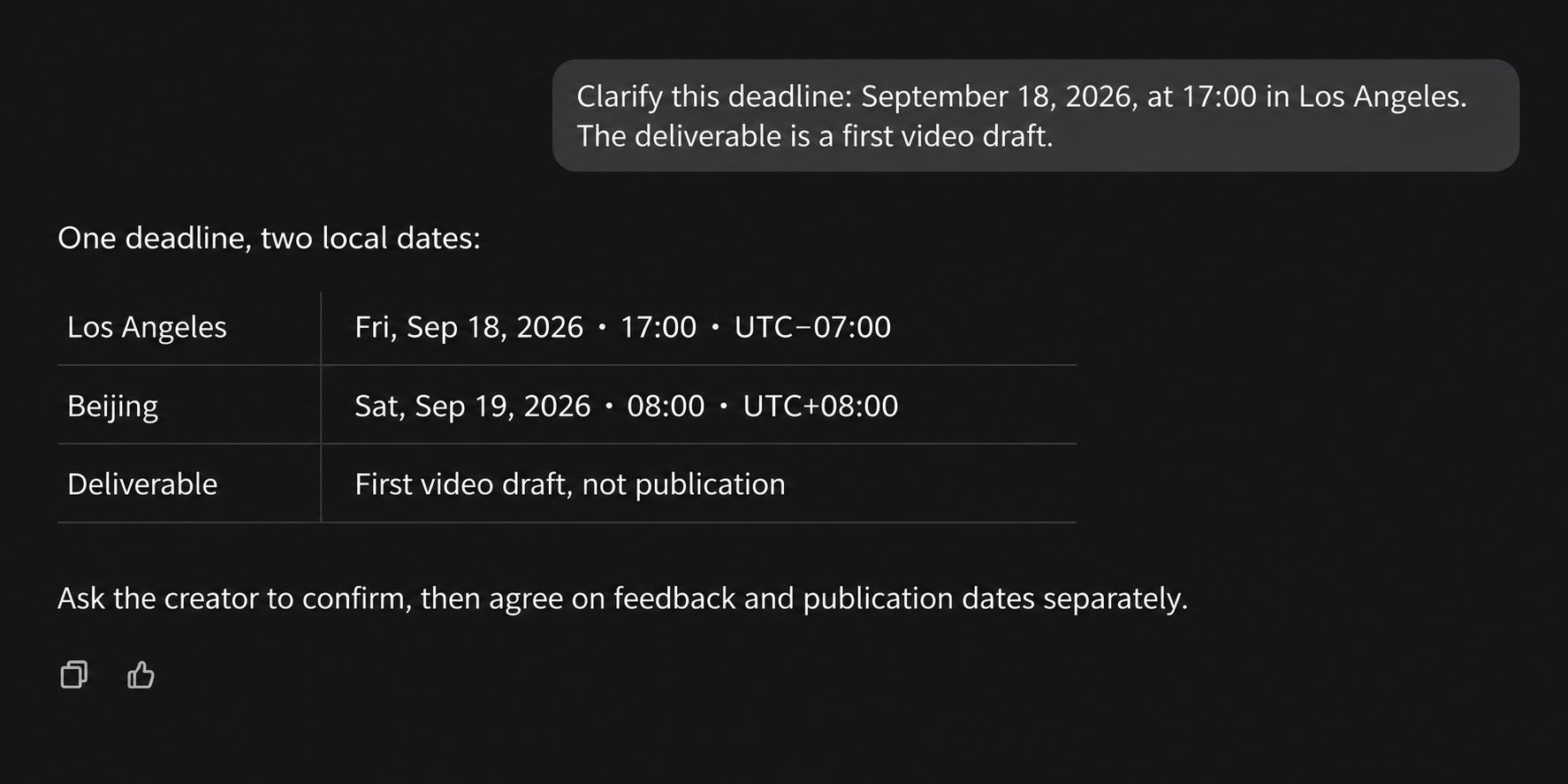
Here is a worked conversion example, rather than an actual partnership commitment:
First video draft: Friday, September 18, 2026, at 17:00 in Los Angeles (America/Los_Angeles, UTC−07:00 on that date). The same deadline is Saturday, September 19, 2026, at 08:00 in Beijing (Asia/Shanghai, UTC+08:00). Submit the draft for review through the agreed link.
Those are two local readings of one deadline. If the Beijing team does not review work on weekends, discuss a different delivery or review arrangement. A correct conversion does not by itself make the schedule workable.
Keep the city and named time zone in the record rather than relying on an ambiguous abbreviation such as CST. For places that observe daylight saving time, check the offset for the delivery date instead of carrying it over from an earlier campaign. The W3C working draft on time zones explains the distinction between local time, a time zone, and a UTC offset. A practical check is to view the same calendar event in both cities and compare the dates and times.
OneCrew is an AI workspace for creator profiles, contact records, and outreach conversations. Give your connected AI the verified times, deliverable, and submission method, and ask it to prepare a confirmation email. Once both sides agree, save the milestone and source message reference in the creator’s notes. A colleague taking over can read the agreement instead of interpreting “Friday” again.
Give draft delivery, feedback, and publication their own milestones
Receiving a draft and publishing a video are different actions. Product checks, consolidated feedback, and agreed revisions may sit between them. For each step, name the person responsible, the action, and what counts as completion.
| Milestone | What needs to happen | What to confirm first |
|---|---|---|
| First video draft | The creator shares the requested version and an accessible link | Samples, information, and filming requirements are ready |
| Brand feedback | One owner sends a consolidated response | Reviewers can finish by the agreed time |
| Revision sign-off | Both sides check the revised version | The revision scope, inputs, and decision-maker are clear |
| Publication | The creator posts the approved version on the agreed account | Posting time, copy, links, and required approvals are settled |
Give every row a date, time, and time zone; leave unresolved milestones marked “to confirm.” Adapt the sequence to the actual collaboration. If brand feedback arrives late, check how much revision time remains before assuming the original publication date still works.
Ask your AI to read the relevant conversations recorded in OneCrew and separate confirmed milestones from questions still awaiting a reply. Use the open questions in the next email. After confirmation, update the campaign details in the creator’s notes and retain the source messages. An internal target should not quietly become a date presented as mutually agreed.
When several colleagues review the work, use this guide to consolidating creator feedback before promising a response time. The creator should know when to expect one complete list, rather than wonder whether a third reviewer has more changes coming.
Check the inputs and working availability before confirming
Matching dates are only part of a workable plan. Sample arrival, final product specifications, reviewer availability, and working hours can all affect it. Agree on enough time for this shoot and review process instead of applying one standard buffer to every partnership.
Adapt this email, replacing the brackets with real information. Recheck both local times before sending:
Subject: [Campaign] — confirming draft and review dates
Hi [Name], to avoid any confusion across time zones, could we confirm the following schedule?
First draft: please share [deliverable] through [submission method] by [full date, time, city/time zone, and UTC offset on that date]. That is [full date, time, and city/time zone] for our team.
Brand feedback: [owner] will send consolidated feedback by [full deadline]. Revision sign-off and publication are planned for [separate full deadlines, or “to confirm”].
We still need [information or samples; delete if complete], which [name] will provide by [full deadline]. Please confirm whether this works. If you will be in a different time zone or any milestone is unrealistic, let us know so we can adjust the plan together.
When asking your connected AI to prepare this from OneCrew records, tell it to leave missing dates and owners open. Check that each deadline has a source, then save the email draft in OneCrew. The contact owner can review the recipient and wording before sending.
When a date changes, confirm the dependent steps too
“One day later” might mean 24 hours later or the next working day. Write the new date and time in full and identify the agreement it replaces. Then check feedback, revisions, and publication against the revised draft deadline.
For example, moving the Los Angeles deadline above to Monday, September 21, 2026, at 17:00 makes it Tuesday, September 22, at 08:00 in Beijing. That crosses a weekend; “a day later” would not describe the change accurately.
Use a rescheduling message like this:
For [campaign/deliverable], we propose moving the deadline from [old date, time, and time zone] to [new date, time, and time zone] because [reason]. The new deadline is [full local date and time] for you.
This affects [feedback/revision sign-off/publication]. Our proposed replacement dates are [list each milestone], with [open milestone] still to confirm. Please let us know whether the revised plan works. Once we agree, we will update the shared schedule.
Retain the creator’s reply alongside the earlier agreement. In the OneCrew creator notes, identify the current schedule, who confirmed it, and when. Check the next email draft for outdated dates, and update the team’s shared calendar or planning sheet as well.
Start with one active collaboration in OneCrew. Replace “Friday delivery” with an agreed time, deliverable, and submission method, then confirm feedback and publication separately. Your next progress check will refer to a milestone both sides understand.



