Want to reuse a creator video? Ask these questions before production
Plan creator content reuse before the shoot. Clarify placements, timing, edits and file delivery, then keep each confirmed use connected to the relevant conversation.
The video is finished. One teammate wants it in an ad, another wants a shorter edit and a third wants it on a product page. Everyone sees an available asset, but those uses may never have been discussed together.
List the intended uses and confirm them individually with the creator. Keep the purpose, channels, duration and required files in one checklist so the brief, replies and actual execution agree.
Ask your own team where the content will be used
Collect specific requests for product pages, brand social accounts and paid advertising. Identify the asset, destination account or page, intended start and end dates, and whether subtitles, cropping or shorter edits are needed.
Mark undecided plans as open questions. When another market, language or account is added later, review the change instead of relying on a broad earlier reply.
OneCrew is an AI workspace for creator discovery, communication and partnership follow-up. Give your connected AI the team’s requirements and ask it to organize questions for the creator. Review the uses and owners before sending, so the creator receives one clear request rather than several internal discussions forwarded separately.
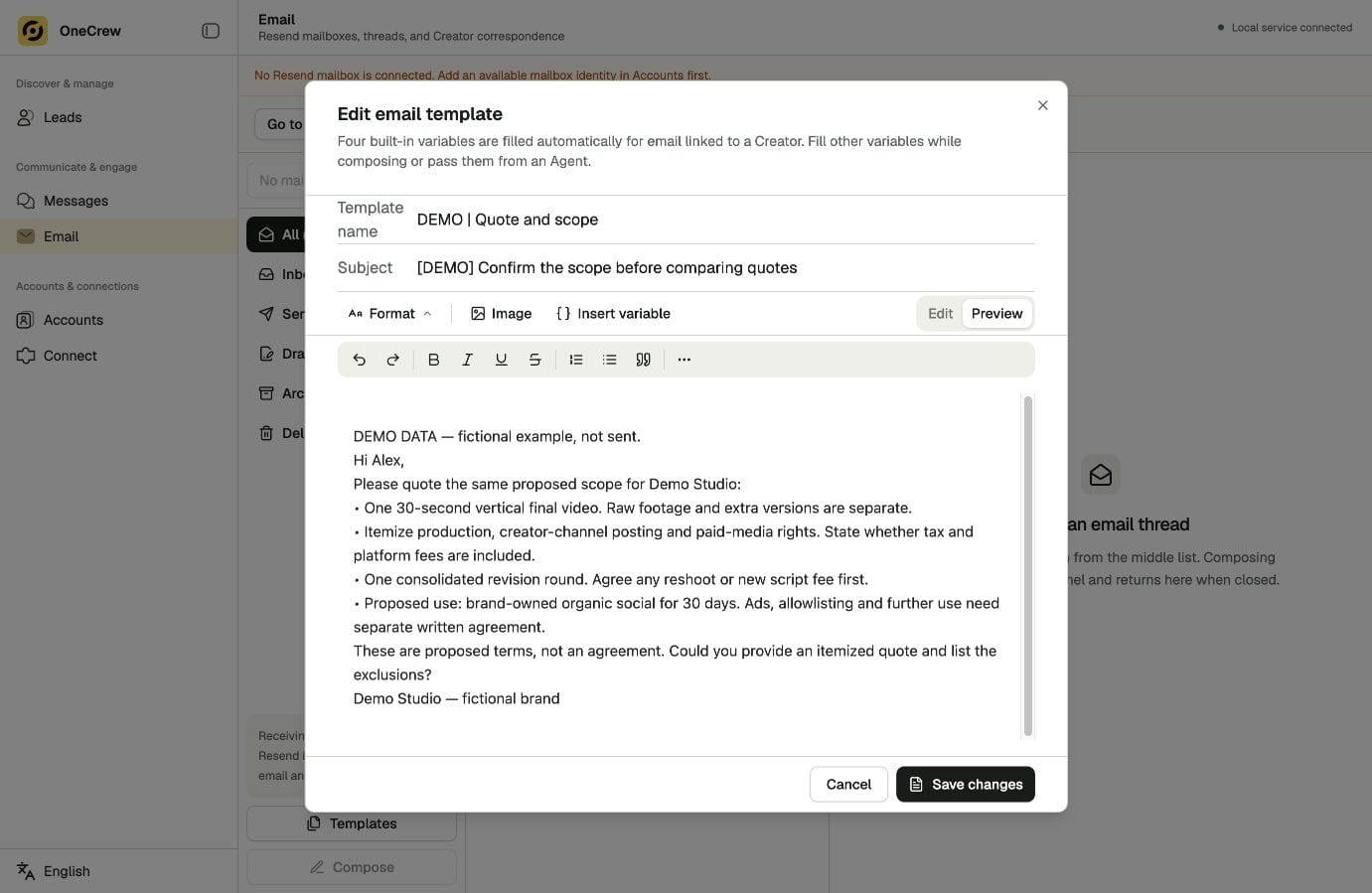
Make each use a question someone can answer
Use this copyable confirmation checklist template and remove any use that does not apply:
Can we place the finished video on [specific product page]?
Does the agreement include paid-ad use from [brand account]?
How should we confirm a version with [language] subtitles?
What are the period and fee for each use? Which edits require a separate agreement?
If a reply says “You can post it,” clarify which proposed use that covers. Keep the final confirmation with the relevant document and asset version. Ask the teammate responsible for agreements to review complex terms before execution.
Read the related replies in OneCrew. Ask AI to organize confirmed uses, open questions and new requirements, retaining the supporting messages. Then draft a follow-up that deals only with the gaps, rather than asking every question again.
Check file delivery separately from intended use
You may need a caption-free version, another aspect ratio, an editable file or source footage. Ask which files will be delivered, how they will be named and how they will be transferred. Receiving a file and confirming a use are separate checks.
Assign an owner and confirmation location to each item. A teammate preparing the campaign should be able to find the answer without asking the operator to reconstruct the exchange.
Ask your connected AI to compare the checklist with synchronized OneCrew correspondence. Prepare a focused draft for missing files or outstanding use confirmations. A message about one concrete gap is easier to answer than a general request to “send everything.”
| Check | Record to keep |
|---|---|
| Placement | Specific account, page or advertising use |
| Timing and edits | Period, language, cropping and editing needs |
| Files | Versions, specifications and agreed source material |
| Confirmation | Supporting reply, document version and owner |
Check the actual placement before it goes live
Compare the final account, page, version and timing with what was confirmed. A new language, different clip or another campaign may create a new request. Describe the change and have the responsible teammate confirm the next step.
Find the relevant OneCrew contact and conversation, then ask AI to summarize existing confirmations and the proposed change. Use that summary to prepare the additional confirmation email, keeping new requests distinct from the earlier arrangement.
Choose one active creator partnership in OneCrew and compare the planned uses with the confirmed replies. Send a focused email to resolve the gaps before the content is reused. Clear questions now make later production and publishing easier to coordinate.



