A creator is waiting, but approval is stuck. Move the decision forward
Turn a stalled creator quote into a specific decision request. Prepare an approval brief, compare real options, and send a progress update you can honor.
The creator has sent a quote and available dates. Internally, the only response is “we’ll take a look.” You keep checking in, worried that the slot will go to another brand, but you cannot confirm the collaboration. There are more messages and still no clear answer to one question: who needs to decide what?
Start with a short approval brief, a specific decision request, and a time when you can reliably update the creator. Separate the quoted terms from internal decisions and missing information. The approver gets something concrete to respond to, and the creator knows when they will hear from you. Commit to an update you can deliver, rather than an outcome that has not been approved.
Identify the decision before building the approval brief
“Awaiting approval” can mean several things. The budget may be undecided, the deliverables unclear, the intended usage unresolved, or the approver missing evidence that the creator fits the campaign. Find the actual open question and provide the material needed to answer it. Forwarding the entire email chain simply passes the research to someone else.
Put the decision request first using this copyable internal-decision template:
Please confirm whether we can proceed with [specific deliverable] at [quote version, amount and currency]. [Condition still awaiting the creator’s confirmation] remains open.
This makes the decision clear while keeping the unresolved condition visible. Copy the amount, currency, and scope from the current quote, rather than filling gaps from memory.
OneCrew is an AI workspace for creator profiles, contact details, and recorded conversations. Ask your connected AI to read the relevant conversation, then supply the current brief and internal requirements. Have it separate “confirmed by the creator,” “internal decision needed,” and “information missing.” Check the summary against the original messages before sharing it with the approver. Everyone can start with the same terms instead of reconstructing them from separate emails.
Use these fields to prepare the brief:
| Approval brief | What the approver needs |
|---|---|
| Decision requested | The quote to approve, option to choose, or proposal to pause; name the decision owner |
| Reason for considering the creator | Campaign objective, relevant content links, and evidence of fit with the required deliverables |
| Fee and deliverables | Amount, currency, content format, quantity, delivery timing, and any other stated costs |
| Usage and revisions | Agreed placements, duration, and revision scope; list unanswered questions separately |
| Missing information | What is missing, who can answer, and who will ask; an empty field is not an agreement |
| Response plan | Target time for the internal decision and the next creator update, including date and time zone |
Adapt this internal request template using the actual details:
Decision needed: [Specific approval request]
Current proposal: [Quote version, amount and currency, deliverables]
Evidence of fit: [Content links and reasons]
Confirmed terms: [Details and source message]
Missing information: [Questions and owners]
Internal response requested by: [Date, time, and time zone]
Next creator update: [Date, time, and time zone]
If a decision is not possible yet, please identify the missing information and who will obtain it.
If the budget is disputed, offer comparable options
When a colleague considers the quote too high, do not insert a lower amount and assume the creator will accept it. Identify which deliverables matter most, then decide what you could ask to change. Removing an extra video, changing usage requirements, or requesting a different format all need confirmation from the creator, including any revised fee.
Compare the same fields and distinguish a received quote from an internal proposal. The options below are a planning structure, not terms a creator has already accepted:
| Option | Terms to check | Decision available now |
|---|---|---|
| Proceed with the original scope | Current fee, complete deliverables, and usage | Whether to approve the current proposal |
| Ask about a narrower scope | What would change, whether a revised quote exists, and whether the dates still work | Whether to explore that change with the creator |
| Pause this collaboration | Reason for pausing and whether there is a concrete future plan | Whether to stop this round and inform the creator |
If the missing detail is the price without one deliverable, ask that specific question first. Have your connected AI use the original quote and internal requirements to prepare the question through OneCrew, then review and send the draft. Update the comparison when the creator replies. The approver should be comparing actual terms, rather than a real quote with an imagined cheaper alternative.
Highlight what changed each time you resubmit the brief—for example, “The creator has now confirmed the reposting period; the fee is unchanged.” When an approver replies “fine,” confirm which proposal that refers to and whether there are conditions attached. A short response should not silently become approval for every open item.
Give the creator a reliable update time
While approval is pending, acknowledge the quote, explain what your team is confirming, and state when you will provide an update. If availability matters, ask when the creator needs a decision. Record a slot as held only if the creator has explicitly agreed to hold it.
Save the approval owner, missing information, and next external update time in the creator’s OneCrew notes. When preparing a reply, have the AI use that record and the actual progress. A teammate taking over can then see who is waiting for what and when a response is due.
Take amounts, owners, and response times from confirmed material. Leave missing details open for the responsible person to complete:
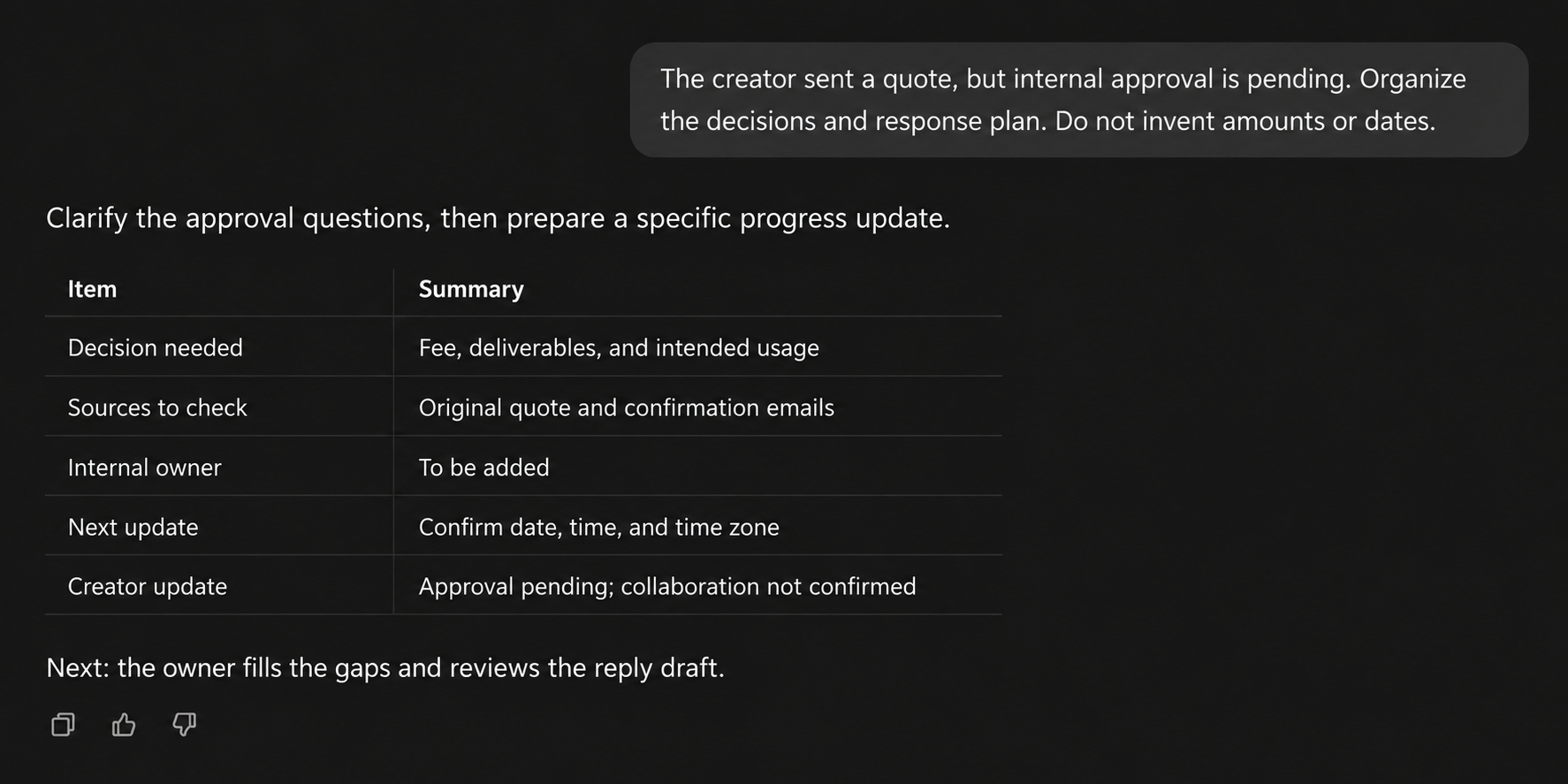
Use an update time you can honor when adapting this email:
Subject: [Campaign] — an update on your quote and availability
Hi [Name],
Thank you for sending your quote and available dates.
We are reviewing [budget, deliverables, or specific usage requirements] internally, so the collaboration is not confirmed yet. I will send you an update by [date, time, and time zone]. If any questions are still open then, I will explain what remains and the next step.
When would you need our decision to plan the production? We have not confirmed a booking yet, so please let me know if your availability changes.
Thank you, [Name]
Send the update at the promised time even if the decision is still pending. Instead of repeatedly moving “tomorrow” forward, identify the remaining question and agree on a new update time. If the creator needs to take another project, check availability again. When there is no concrete next step, clearly pause this round rather than leaving the creator expecting a booking.
If approval is still pending at the promised update time, reply in the existing thread:
Subject: Re: [Campaign] — an update on your quote and availability
Hi [Name],
As promised, here is the latest update.
We have confirmed [resolved items] and are still waiting for a decision on [specific open item], so the collaboration is not yet confirmed. Our next step is [specific action]. I will update you again by [date, time, and time zone].
If your availability has changed, please send your current dates so we can check the schedule again.
Thank you,
[Name]
Use this reply while there is a concrete next step. If your team has decided to pause, say so clearly. If a new opportunity comes up, check the creator’s interest and availability again.
Match the internal approval to the external confirmation
Internal budget approval does not mean the creator has accepted revised requirements. Compare the approved proposal with the original quote and subsequent replies: fee and currency, deliverables, usage, revisions, and dates. Keep approval conditions explicit—for example, “proceed once the revised first-cut date is confirmed.” Updating only the price in an email can leave the rest of the agreement out of sync.
Ask your connected AI to prepare a final confirmation through OneCrew using the latest conversation and approval record. Include the terms you have checked, and list questions the creator still needs to answer separately. Have the owner review the draft before sending, then save the creator’s explicit response and the relevant proposal version in their notes. Separate records of internal approval and external confirmation provide a reference for later changes.
Before moving into execution, use this copyable check template:
Our team approved [version and terms]; the creator confirmed [message and terms]; the remaining items are [questions and owners].
If one part is unclear, resolve it before arranging shipment or production.
If several colleagues later give conflicting comments on the delivered video, use the guide to consolidating creator video feedback. This article establishes the decision before the collaboration starts; production feedback should then refer to the agreed scope.
Start with one stalled proposal in OneCrew. Bring together the original quote, the specific decision needed, and the next time you will update the creator. Give the approver a question they can answer and the creator an update they can expect. That is a more useful next step than another request to “take a look.”



