Recruiting Creators: Build an Application Form That Reduces Follow-Up Questions
Map application questions to selection decisions. Includes a question template, required versus conditional fields, and a focused follow-up email.

The applications arrive with names, profile links and email addresses. Then your team starts another round of messages to ask for relevant work, availability and what each creator can deliver.
A useful application form starts with the decisions you need to make at this stage. Give each decision a question applicants can answer, ask conditional questions only when relevant, and collect later-stage details when the project is ready for them. You can reduce missing information without asking applicants to negotiate an entire engagement in a form.
Define the decision before writing the question
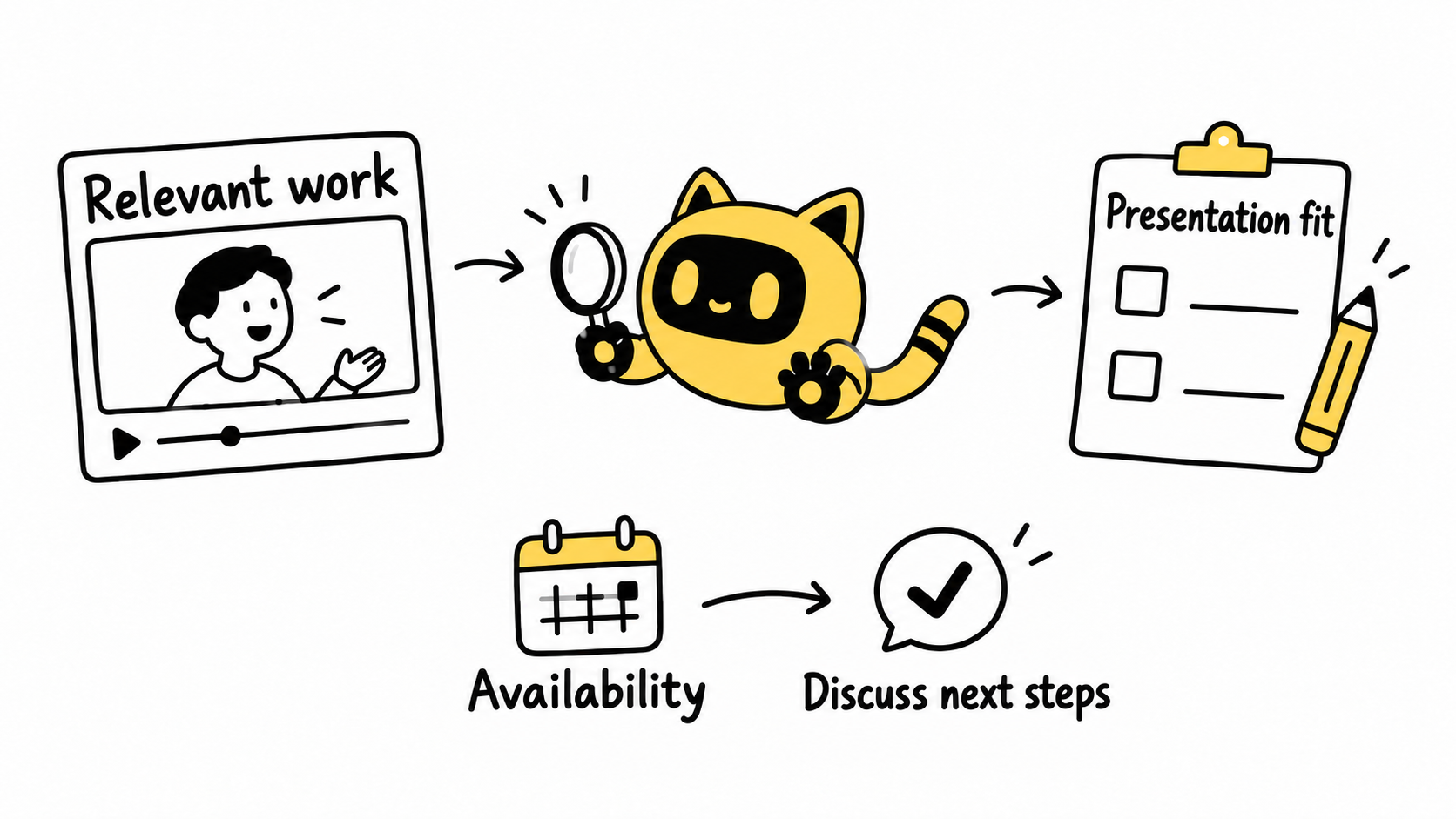
For a product demonstration, the first review might need to establish three things: whether the creator has relevant presentation experience, whether they can deliver the requested format, and whether the proposed time window is workable. Ask what you would do differently depending on each answer.
Clarify the brief first. If your own team has not decided between a video and a carousel, a creator's “yes, I can do it” will not settle the production scope.
OneCrew is an AI workspace for creator information, partnership records and email workflows. Give the AI connected to OneCrew your confirmed brief and selection criteria. Have it read the existing partnership table's fields before organizing each applicant's work links, proposed scope and open questions. Review how those fields represent the information before saving. An unanswered requirement should remain open until you have evidence.
Map each application question to a next step
This is an editorial example for a product demonstration. Replace the placeholders with the actual format, quantity and dates for your recruitment round.
| Decision | Application question | How to use the answer |
|---|---|---|
| Is the creator's experience relevant? | Link one piece that shows how you explain a product operation, and describe your role in making it. | Review the explanation and distinguish individual work from a team project. |
| Can they deliver the requested work? | Which parts of [format and quantity] can you provide? | Separate filming, editing and publishing responsibilities. |
| Is the time window workable? | What availability do you have during [date range]? Include your time zone or explain what is still uncertain. | Decide whether to discuss scheduling; an indication of availability is not a booked date. |
| Can you begin a quote discussion? | Based on the brief above, share a quote or tell us what else you need to price it. | Compare the same scope and keep incomplete quotes open for clarification. |
| Who should receive the follow-up? | Provide the contact email for this engagement and name the representative, if applicable. | Contact the person actually handling the application. |
You rarely need an entire portfolio or a complete calendar to make an initial decision. Explain why you need the specific information. The GOV.UK Design System recommends asking only for needed information, explaining the purpose of questions and avoiding repeated requests for answers already supplied. Those principles are useful when reviewing creator application questions too.
Separate required, conditional and later-stage details
Required information is what you need to complete this review: perhaps the creator's profile, relevant work and contact email. Offer a way to explain unavailable public work or provide another viewable example rather than forcing a fabricated link.
Conditional questions depend on the engagement. Ask about the publishing account if publishing is part of the scope. Ask about location when the shoot has a real location requirement. A question should earn its place through the work you are asking for.
Later-stage information belongs with the next step. A shipping address, payment details or final schedule can be collected when you are ready to move the engagement forward. Explain the process without front-loading every operational question.
Shopify's Collabs setup guidance describes adding custom application survey questions before accepting creators. The mechanics depend on your recruitment channel; the design task is to make the answers support an actual selection decision.
Test the answers, not just the layout
Before opening recruitment widely, ask colleagues or willing testers to answer using real experience. Check whether work links open, responsibilities are clear and any questions are hard to interpret. Use the number of test applications your team can reasonably review. This is a way to uncover ambiguity, not evidence of an expected application rate.
If several testers ask whether the price includes publishing, improve the brief. If one applicant has omitted their role in a sample, follow up on that item. Different problems need different fixes.
Keep the supplied answers, work references and open items in the original OneCrew partnership table. Update the same record when new information arrives and retain its source. The next reviewer should be able to see why an applicant advanced, rather than inherit an unexplained “approved” label.
Ask a focused follow-up
A useful clarification acknowledges what you have received and identifies the one remaining answer you need:
Hi [Name], thank you for applying. We have your [work link] and availability during [time window]. To assess the fit for [specific format], could you clarify your role in that piece—filming, presenting, editing, or a combination? Please describe the work you actually handled. We can then discuss [the real next step].
Ask the AI connected to OneCrew to prepare the clarification from the application details you provide and relevant email already in the workspace. Review the draft for questions already answered and wording that turns an application into a confirmed engagement, then save it. A precise request tells the creator what to reply with.
Once applications reach review, use the three-part pitch triage to organize fit evidence, scope and the next action.
Start in OneCrew with the criteria for one recruitment round and one test application. Check that every question supports a decision and every unresolved answer has a clear follow-up. That gives the recruitment process a practical starting point.



