A sponsored creator video disappeared. What should your brand check first?
Check the original video URL and its visibility before assuming a creator deleted a sponsored upload. Includes an access checklist, confirmation email, and closeout record.

The video passed your launch check last week. Today, someone opens the campaign sheet and cannot watch it. A colleague starts drafting an email asking why the creator deleted the post.
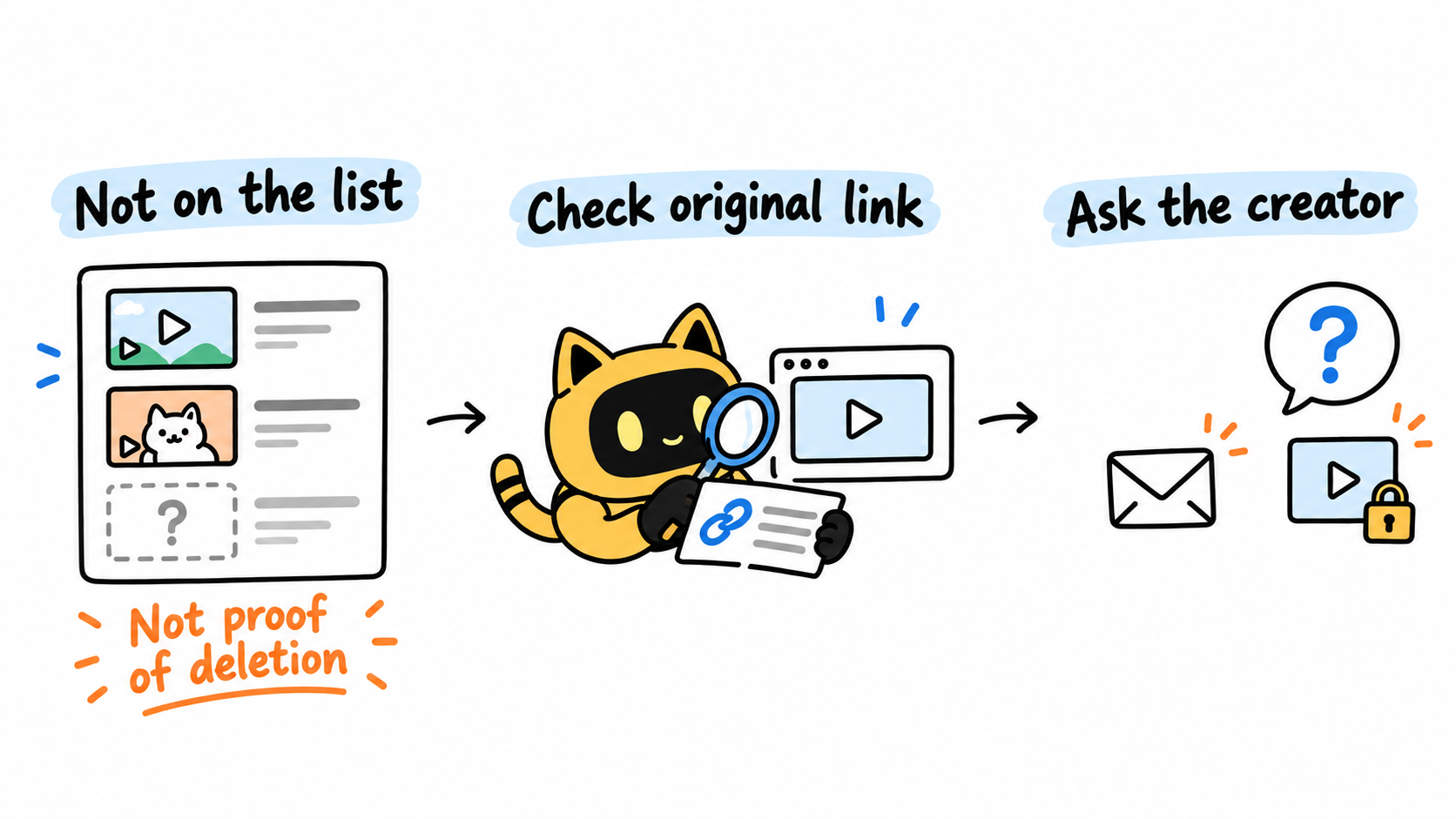
Before sending it, separate three observations: the video is missing from the channel page, the saved link will not play, or the creator has confirmed a deletion. They call for different next steps.
Start with the original delivery link and the exact access problem. Ask the creator to confirm the video's current status, then use the terms both sides actually agreed to when discussing a resolution. Your first email should help establish what happened.
Make the problem specific enough to reproduce
Retrieve the video URL from the original delivery email or acceptance record. A link forwarded today may be incomplete or point to something else. Save the title, channel, original URL, time of the check, and the message shown on the page.
Also record how you looked: was the video absent from the channel's upload list, or did opening its direct URL fail? If you check in another normal browser environment, note whether you were signed in and whether the result changed. Respect any access restrictions. A failed visit is an observation; it does not establish the cause.
Give the team one shared incident record. Otherwise, one colleague may ask why the video was removed while another asks when it will return, before anyone has established whether removal occurred.
OneCrew helps teams organize creator information, recorded conversations, and partnership follow-up. You can ask your AI assistant to use OneCrew to retrieve the recorded delivery conversation and find the original URL. Then add the observed error, check time, and open questions to the creator's notes, preserving the existing partnership context. The next person can pick up the investigation from the same facts.
Missing from a channel page does not prove deletion
On YouTube, visibility settings affect both access and where a video appears. Private videos are available only to approved viewers. Unlisted videos can be watched through their link but generally do not appear on the channel's Videos tab or in search. A missing upload-list entry alone is therefore insufficient evidence of deletion. YouTube's video privacy guidance
Use this checklist to choose the next question:
| What you observed | What to check next |
|---|---|
| The video is absent from the channel list, but its original URL plays | Ask the creator to confirm its visibility and compare that with the agreed placement |
| A forwarded link fails, but the accepted delivery link works | Correct the team record and any other places using the wrong URL |
| The original URL will not play and displays a restriction | Save the exact message and ask the creator to check the video's status |
| The creator confirms removal or replacement | Establish the reason, any replacement URL, and the proposed next step |
“Currently inaccessible” is a useful working status. It keeps the issue visible without assigning a cause that has not been verified.
Find the commitment that matters to this video
Before requesting a fix, locate the agreed deliverable: the specific video, its channel, any stated visibility or retention period, and any process for notifying the brand of changes.
If the record only says “one video,” list the missing details instead of filling them in from memory. Do not silently turn that into a promise of permanent public availability. Permission for the brand to reuse footage in ads is also a separate question from how long the creator's own upload was meant to remain visible.
In OneCrew, ask the AI assistant to review the recorded email thread and separate confirmed terms from proposals or unanswered questions. Keep the dates of the relevant messages alongside the summary. Review those messages before referring to a commitment in your email.
This gives the conversation a clear starting point: what both sides confirmed, what you can currently observe, and what remains unresolved. A playback error by itself does not settle questions about responsibility or payment.
Send a confirmation request the creator can answer
“The video is gone—please fix it” leaves the creator searching for the affected upload. Include enough information to investigate it immediately.
Adapt this template:
Hi [name],
While checking the records for [campaign], we opened the original video URL, [link], at [date, time, time zone] and saw [exact message].
Could you confirm its current status? Has its visibility or URL changed, or is something else affecting access? Please send the current link if there is one.
Our record of the agreed placement is [confirmed relevant terms]. Once we understand what happened, we'd like to agree on the next step and timing. If a resolution date is not yet clear, please let us know when we can check back.
Thanks—we'll update the partnership record with your response.
OneCrew can help prepare an email draft for a confirmed creator contact using the recorded conversation. Provide the actual observation and verified terms, and ask the AI assistant to keep unanswered questions open. The campaign owner should review the recipient, links, and wording before sending.
If a manager handled the original partnership, continue through that confirmed contact. Choose one person on your team to communicate externally while others add their findings to the record.
Verify the outcome before closing the issue
A reply saying “fixed” tells you where to resume checking. Open the replacement URL if one was provided. If the creator says the original video is public again, check the access points relevant to your agreed placement.
A video that now plays through a direct link may still require a follow-up if the agreed placement involved public channel visibility. Record the actual outcome rather than treating every playable link as the same resolution.
Use this closeout template:
- Original content: title, accepted URL, and acceptance date.
- Confirmed cause: the creator's explanation and reply date.
- Agreed next step: restore the upload, supply a corrected URL, or discuss another arrangement.
- Verification: the URL checked, check time, and remaining issues.
- Owner and next check: who will follow up, with whom, and about what.
Add the result to the same creator notes in OneCrew so the discovery, confirmation, and verification remain connected. If ownership changes, use a creator partnership handoff checklist to preserve that context.
A useful response to an unavailable video starts with one accurate record. Use OneCrew to retrieve the delivery conversation, document what the original URL currently shows, and prepare a focused confirmation email. That gives both sides something concrete to resolve.



