Your Creator Link Has Redirects and a Shortener. Is Tracking Ready?
Document each URL layer and test from the real device and placement. Check destination behavior and analytics separately with a link-acceptance checklist.

The creator’s link opens, but the expected source is missing from the report. Do not immediately blame the shortener. List the original URL, redirect link, short link and actual posting location. Test from the intended device and platform, then check destination behavior and the agreed analytics result separately.
An operator described an AppsFlyer link with added UTMs, shortened through Bitly and shared on Instagram, without the expected attribution data appearing. The account establishes a troubleshooting need. It does not establish which layer caused the problem.
Define the expected data before testing the URL
A short-link click, website visit, app open, install and purchase event are different observations. Name the system, report, field and event you expect to verify. Otherwise “no data in the dashboard” may simply mean the team is looking at different metrics.
OneCrew helps organize creator emails and workspace tables. Record the original and final publishing URLs, target event, test owner and evidence. Then use the existing conversation to prepare a link-confirmation draft. The actual link and analytics tools perform the technical work; the collaboration record keeps everyone on the same version.
Preserve the address at every layer
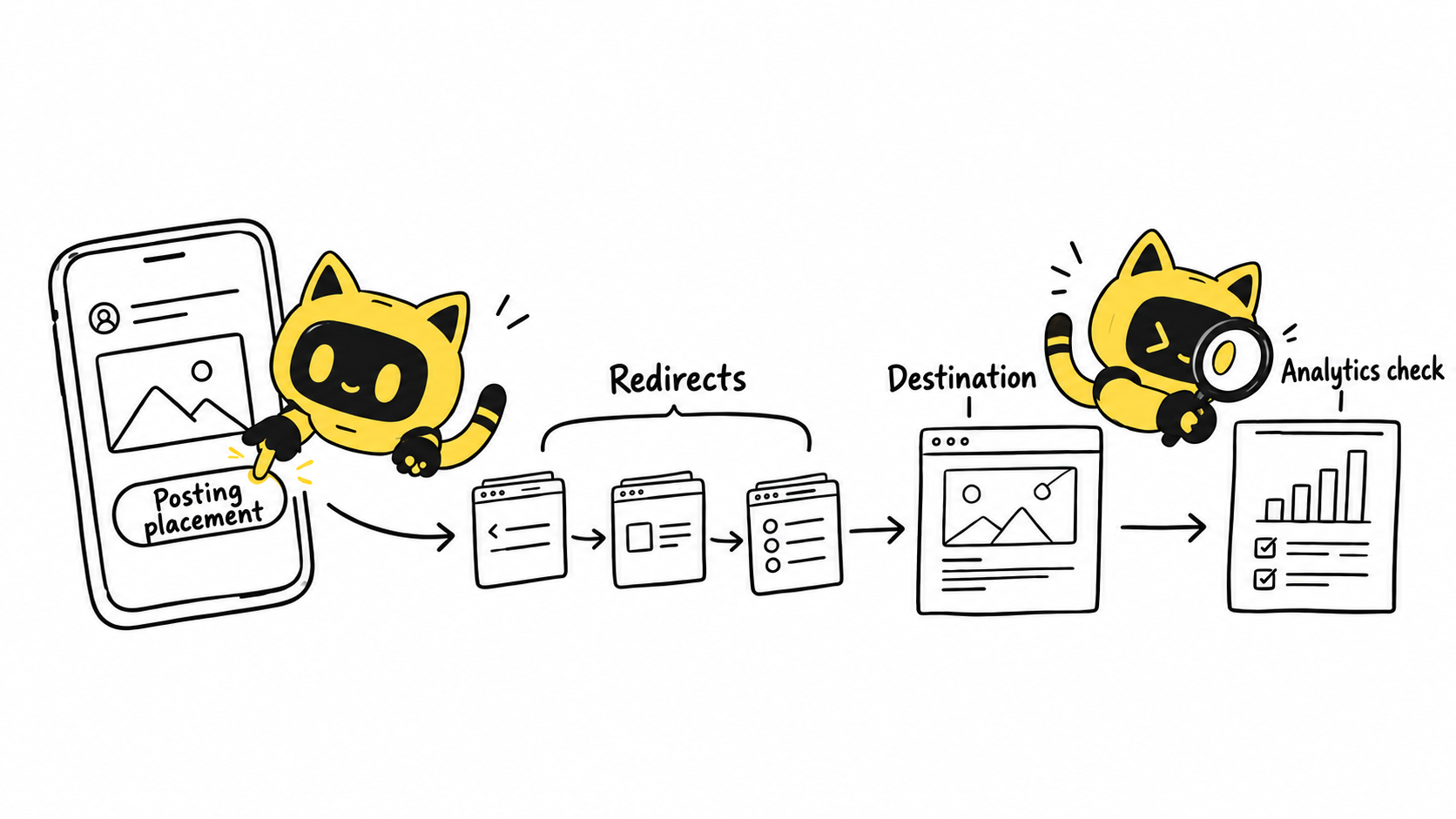
List the path in click order: platform placement, shortener, redirect service, then the intended website or app destination. Save the full target address and parameters as configured. Check for duplicate parameters, case differences, truncated copies or a short link pointing to an older target.
Google Analytics documents UTMs as a way to identify campaigns referring website traffic, and parameter values are case-sensitive. Bitly’s instructions add UTMs to the destination URL before creating the short link. The absence of visible UTMs in a short URL is not evidence that they were lost; inspect its configured destination.
| Layer | Check | Evidence |
|---|---|---|
| Publishing placement | Where the creator will actually put the link | Platform, account, placement and test time |
| Shortener and redirects | Each target matches the agreed version | Address sequence, parameters and actual destination |
| Website or app | The destination and action behave as expected | Device, install state and observed result |
| Analytics | The agreed event and source can be checked | Test identifier, report location and reviewer |
Test from the real publishing entry point
A URL pasted into a desktop browser does not validate a tap inside a mobile social app. Test the scenarios relevant to the campaign, recording device, operating system, browser or social app, and whether the destination app is already installed. For install attribution or deep linking, involve the person responsible for that setup and follow the service’s testing guidance.
AppsFlyer’s OneLink documentation addresses different link behaviors and social-app conditions. UTM fields do not replace app-attribution configuration. Where relevant, validate web visits and app events separately; do not assume all numbers across the systems should match.
In OneCrew, save a specific result for each scenario: destination reached, event awaiting review, source mismatch or technical investigation. Prepare a follow-up draft that asks about the remaining issue, such as locating a particular test event, instead of telling the creator that the link is generally “broken.”
Keep evidence while investigating missing data
Have the analytics owner check processing time, test-device and event configuration, consent state, filtering and report definitions. Avoid repeatedly appending parameters and creating new short links without recording the changes. Modify one identified layer, note the new version and retest under comparable conditions.
Subject: Final publishing link and test status for [campaign]
Hi [name], please use [final link] in [specific platform placement], version [date/identifier]. Please check with [owner] before changing parameters or adding another shortener.
We have verified [specific tests]; [remaining check, if any] is still open. We will confirm the final ready-to-use version once the agreed checks are complete. After publishing, please send the actual post or placement so we can check the same path.
If later payments depend on view counts, separately agree the terms in Creator View Bonuses: Which Number Determines the Payout?.
Start with the complete link path in OneCrew and separate “reaches the destination” from “produces the agreed data.” A useful acceptance record includes the final URL, test conditions and owner’s result.



