No reply from a Facebook group admin? Check the approach first
Check Facebook group rules, administrator responsibilities, and public business contact details before sending a specific partnership proposal and following up.
The group discusses exactly the problem your product addresses. You found an admin and sent several messages asking about a collaboration. None received a reply. Another opening line may not fix what is missing.
A seller asked how to reach a relevant Facebook group owner. First check whether the group accepts brand partnerships, who handles them, and which contact route is offered. Then make a request the recipient can evaluate.
Verify the rules and the person responsible
Read the available group rules, pinned information, and public administrator details. A group owner, moderator, and commercial contact may have different responsibilities. Permission to moderate posts does not establish responsibility for partnerships. If promotion is prohibited, a normal posting route is not a partnership application.
OneCrew is an AI workspace for organizing creator leads, communication, and follow-up tasks. Save the group link, verified role, and public business contact details as a lead, with the date you checked them. You can then prepare an email from known information rather than searching the group again every time.
| Verify | Keep a record of |
|---|---|
| Group | Exact URL and subject |
| Contact | Public role and responsibilities |
| Rules | Promotion policy and application route |
| Business details | Source and verification date |
Ask about a specific format
Explain who you are, the member need your product relates to, and the proposed format. A product Q&A is different from a series of promotional posts. State the expected involvement and whether the proposal is paid, so the admin can decide whether to discuss it.
Ask your AI connected to OneCrew to draft a short email from those verified details: relevance, proposed format, and one question. Remove unsupported praise, check the group name and product information, then approve the message for sending.
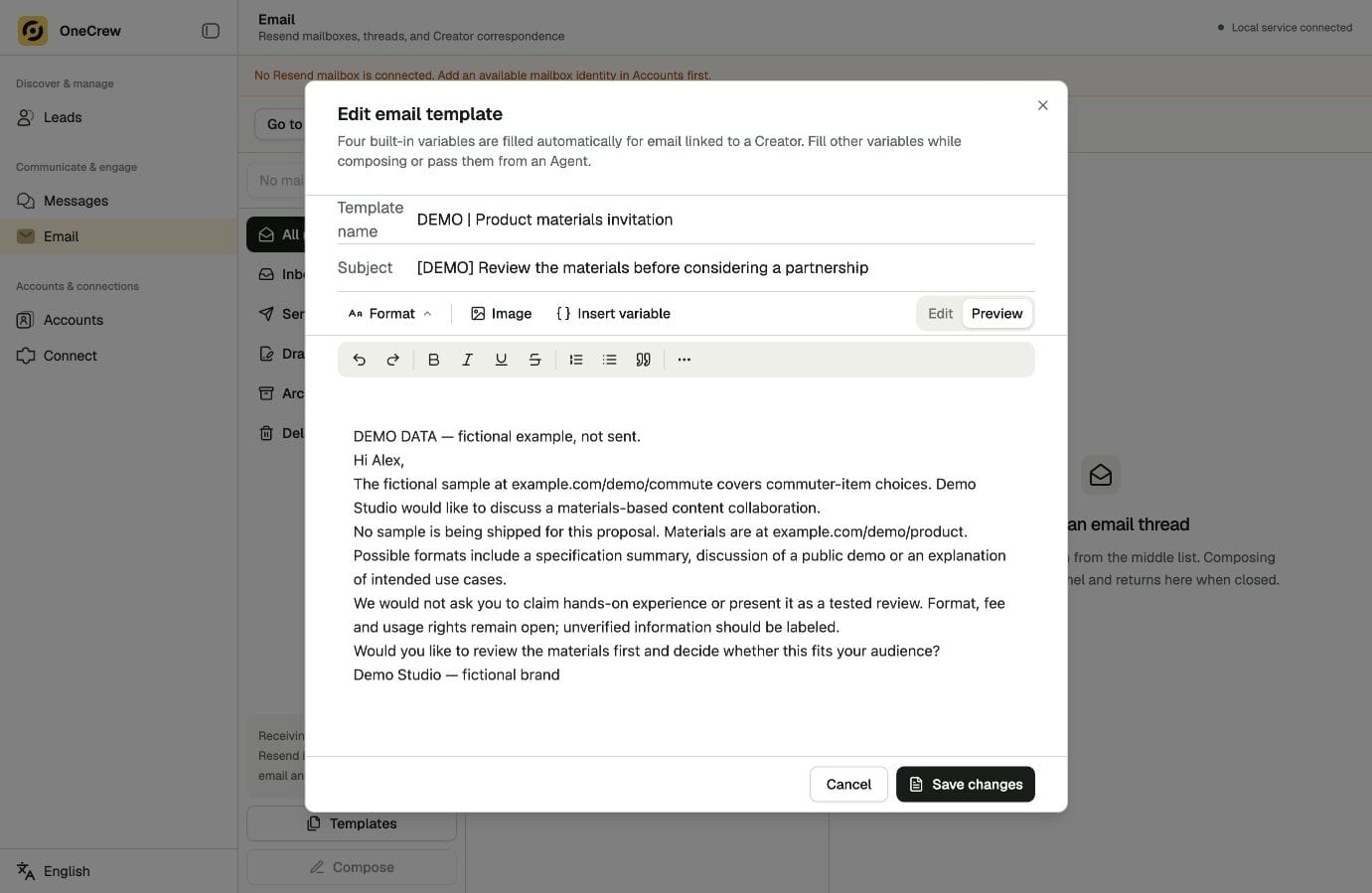
Treat silence differently from a refusal
For an unanswered email, verify the public contact route, sending result, and any information the admin asked applicants to include. An explicit refusal calls for closing the approach, rather than repeating it through a private account.
Review the existing email and sending result in OneCrew. Prepare a follow-up that addresses an actual information gap. Name the question in the task, such as confirming whether a product Q&A is available, rather than simply writing “chase again.”
Agree on the working rules once the conversation starts
Clarify review requirements, fees, timing, link placement, and who answers member questions. Keep group rules alongside the specific collaboration terms. Ask whether changes require another review.
Use OneCrew to turn open questions from the reply into follow-up tasks and prepare the next email from confirmed information. That continues the conversation instead of restarting the pitch.
Start with one verified group contact in OneCrew and a proposal that asks for a clear next step. Accurate contact information and a concrete request make it easier to decide whether to clarify, continue, or close the conversation.



