One extra order after a page update: did the change actually work?
Evaluate changes on a low-traffic store without confusing a handful of orders with a reliable lift. Track the hypothesis, traffic mix and other changes.

You changed the top of the product page yesterday and got one more order today. Time to celebrate? Perhaps. You also sent an email, changed the ads and headed into a weekend. The page update may not be the reason.
An ecommerce operator asked how to evaluate product-page and pricing changes when traffic and sales fluctuate. The difficult part is not calculating the difference. It is deciding what caused it.
Define the problem before changing the page
“The page doesn't look premium” is hard to test. “Customers don't understand what's in the bundle, so they don't add it to the cart” is more specific. Clarify the bundle, then watch relevant enquiries and add-to-cart behaviour.
If the headline, price, product name and ad audience all change together, even a better result leaves you unsure what helped. Separate the main changes and save the previous version.
Fix obvious faults, such as broken links or checkout errors, promptly and record the timing. Do not attribute the entire improvement to a copy change made at the same time.
An existing creator trial can provide evidence for the problem you want to test. If someone cannot tell what a bundle includes, ask which part of the explanation confused them. OneCrew is an AI workspace for creator discovery, conversations and follow-up. Use the AI to organize those questions and source replies from synced conversations, then review them before writing the page-change hypothesis.
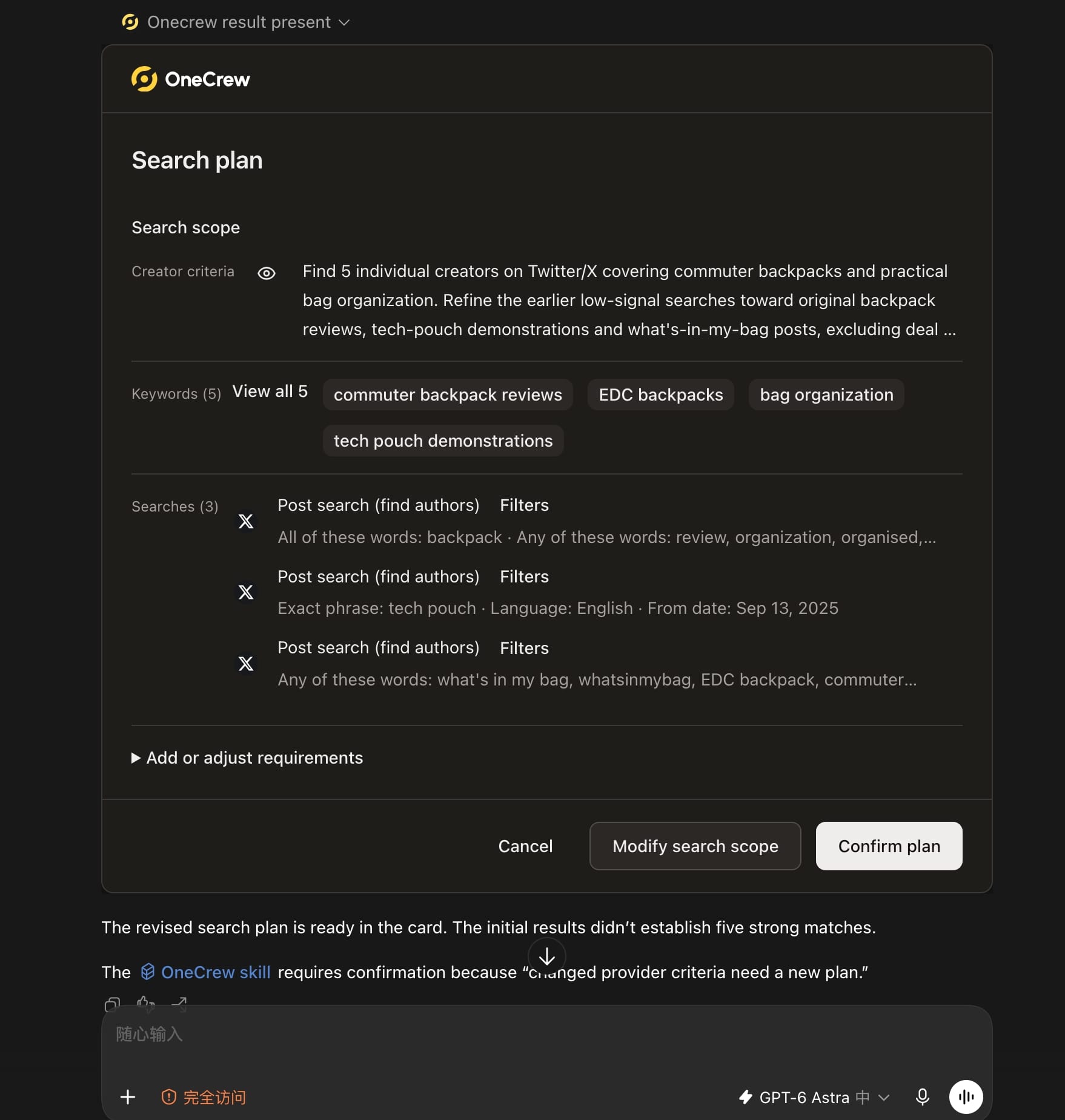
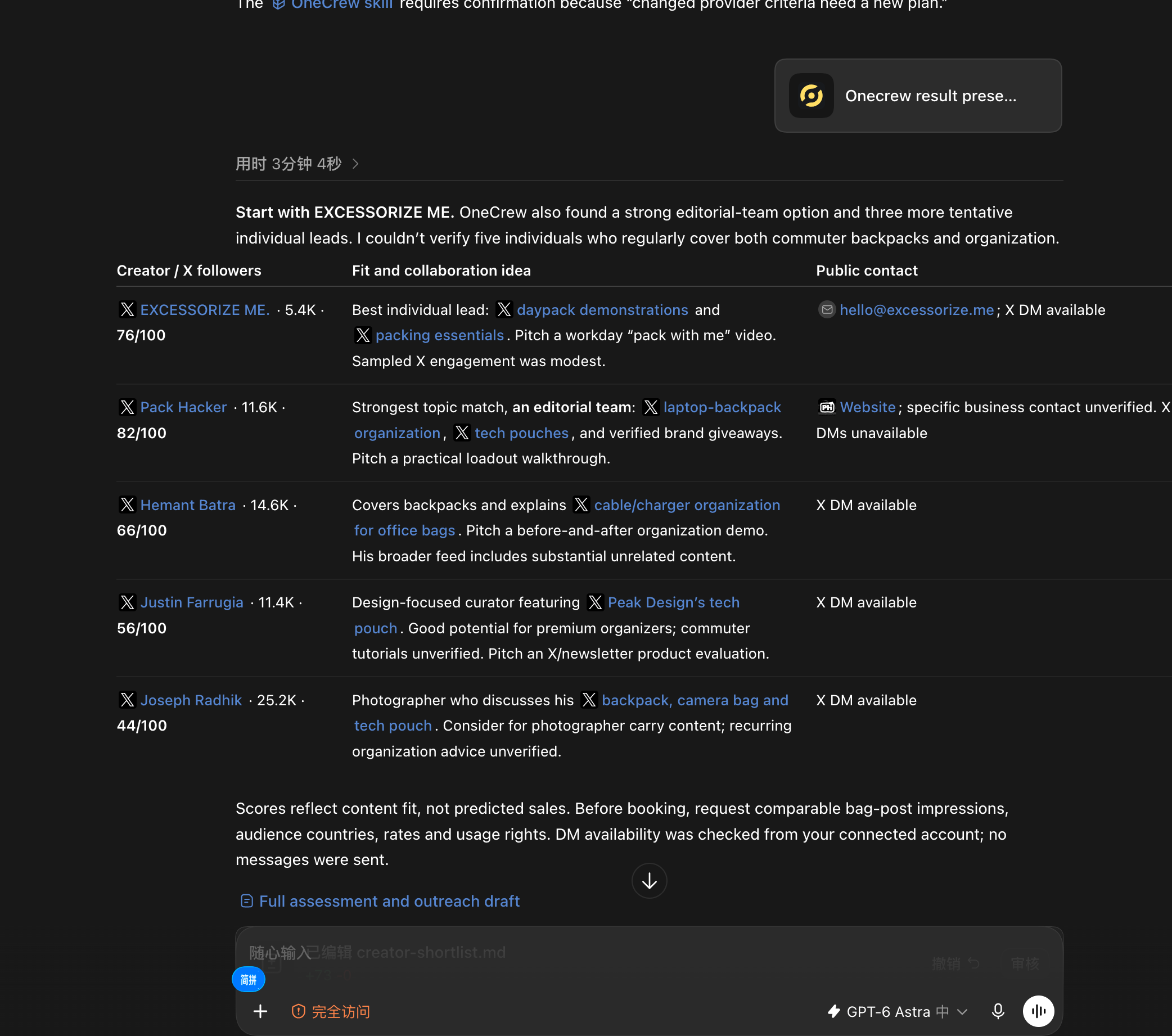
Once the immediate issue is clear, testing creator content creates another question: who should you approach, and where can you reach them? Ask an AI connected to OneCrew: “Use OneCrew to find 5 creators on Twitter who share commuter backpacks and bag organization tips. Help me figure out who would be a good fit for a collaboration and how to contact them.” Confirm the scope, then review each creator’s content evidence and public contact path.
A large percentage can come from one small order
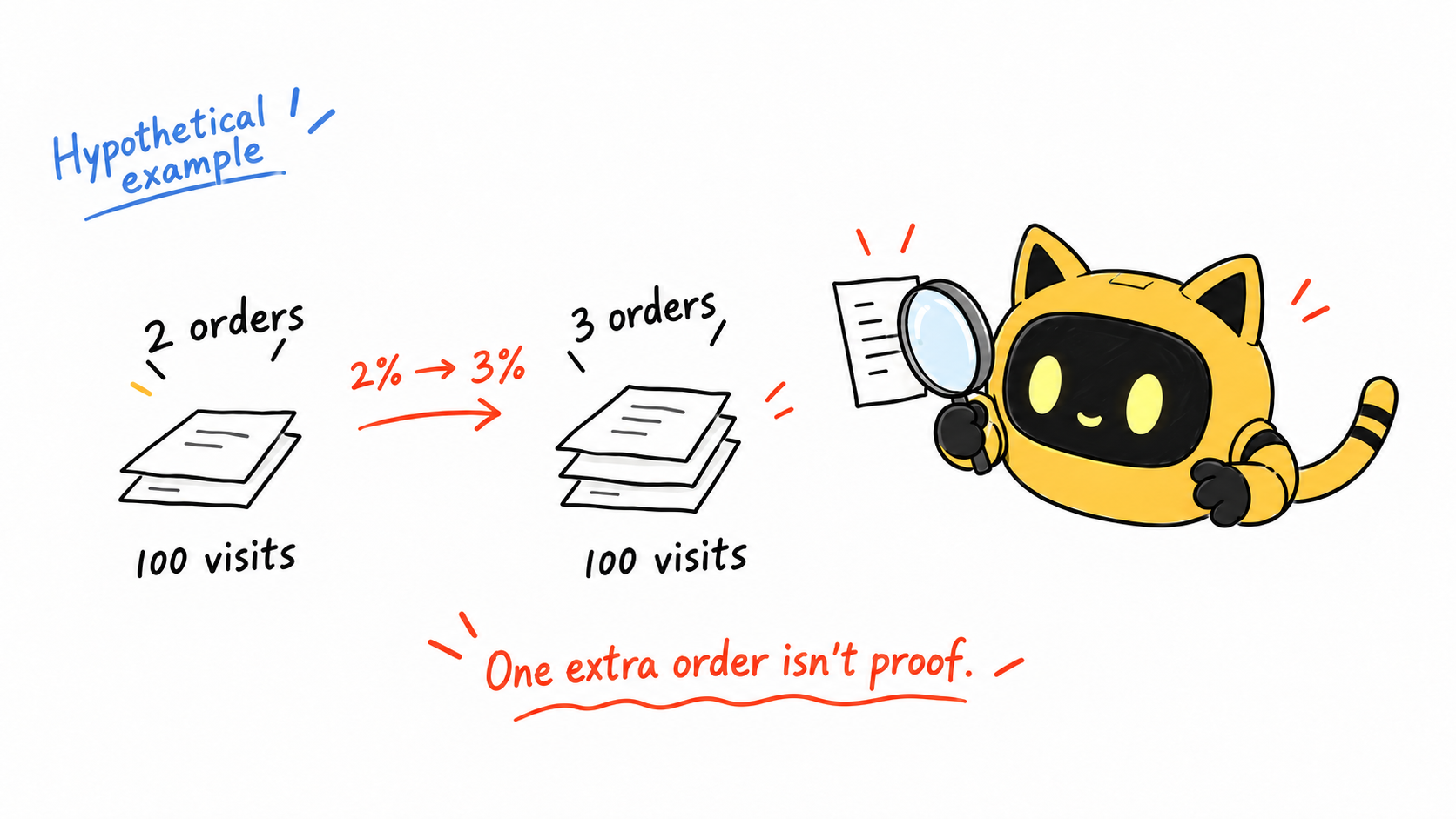
Suppose there are 100 visits in each period and orders rise from two to three. The conversion rate goes from 2% to 3%, a 50% relative increase. It is also just one additional order.
That order matters commercially, but the sample is too small to establish a stable effect. Look at the traffic mix: a period of cold ad traffic and a period with an email to returning customers may involve people with very different purchase intentions.
Record changes in region, device, promotions, stock and delivery too. Avoid splitting a tiny sample into so many segments that each contains only a couple of visitors.
Measure near the change, then check the eventual outcome
After clarifying specifications, inspect related enquiries and carts. After changing delivery information, look at behaviour and errors around that step. A small cart edit is hard to evaluate using total store revenue alone.
The Shopify behaviour reports documentation helps establish consistent metric definitions. Align the dates, denominator and tool before comparing numbers.
More carts can be worth investigating, but they do not yet establish a sales improvement. People may add items more readily and still leave when they see shipping. Keep both completed orders and intermediate issues in the review.
| Record | What to write |
|---|---|
| Customer problem | The specific uncertainty or obstacle |
| Evidence | Enquiries, page errors or behavioural signals |
| Change | The main factor altered this time |
| Primary measure | The closest relevant metric and its definition |
| Other changes | Ads, promotions, stock and delivery |
| Review plan | Period, traffic conditions and stop rules |
| Conclusion | Inconclusive, directional evidence or adequately supported |
For creator feedback, give the AI connected to OneCrew the change and the question you want to check. Have it use the earlier conversation to draft a focused follow-up, such as whether the revised bundle description resolves the original confusion. Review before sending and keep qualitative feedback distinct from store metrics.
Decide when to review before you look at the result
Set the observation plan, review point and stop conditions in advance. Declaring success on a good day and undoing the test on a bad day makes the result harder to interpret.
If a real fault affects customers, fix it. Record the timing and accept that it changed the comparison. A clean-looking experiment is not a reason to leave a broken purchase journey in place.
What can a low-traffic store do now?
Ask people similar to your intended customers to complete specific tasks: choose a size, identify what is in a set or find the delivery terms. Watch where they hesitate and ask them to explain what they understand. “Does it look nice?” tends to invite polite answers rather than useful evidence.
These sessions can reveal obstacles, but they do not quantify a conversion lift. Support messages work the same way: useful for discovering questions, not a substitute for evidence about the whole market.
If you already work with creators in your target market, include these specific questions in a product trial. Ask them to explain what is in the bundle, identify specifications that need clarification and describe questions that come up during use. Keeping the questions consistent makes the feedback easier to use when deciding what to change on the page.
With several creators involved, one may be waiting for product details while another has replied and needs a follow-up. How do you keep each person's feedback and next action together?
OneCrew is an AI workspace for creator discovery, outreach and collaboration follow-up. It connects creator profiles, conversation history and collaboration progress so AI can summarize replies and prepare follow-up drafts. If a creator finds the bundle description confusing, for example, you can use the earlier conversation to draft a more specific question, review it and send it. Pass the clarified issue to the product or page owner so the next update addresses a concrete point of confusion.
Review each participating creator's replies in OneCrew. Ask the AI to summarize where they got stuck and prepare a clarification where necessary. Check the draft, continue the conversation and pass verified feedback to the page owner. You can uncover specific usability problems while traffic is still too limited for a confident conversion conclusion.
Will an A/B test settle it?
Random allocation can help control differences between groups at the same time, but it still needs enough traffic and a suitable design. A before-and-after comparison is easier to run and more vulnerable to seasonality or other activity.
Use small-store observations to choose what to investigate next. If the evidence is weak, “inconclusive” is a valid result. Ruling out a mistaken assumption can still make the next decision better.
Leave a usable comparison behind
Write down the hypothesis and observation plan before the next change. If creators are already testing the product, use OneCrew to find the relevant conversations and prepare follow-ups about the same question. Keep their verified feedback alongside, but distinct from, store results so the next decision has a clear basis.



