Too much store inbox spam? Filter it without losing customer and creator replies
Separate spam from customer and creator conversations with reviewable rules, clear ownership and a queue for messages that need a closer look.

A new store goes live, and the first people eager to contact you are often selling advice on how to find customers. The inbox fills up. Somewhere in the middle is a message you actually need to answer.
A Shopify owner said the spam continued even after removing the contact email. Removing an address from a page does not remove copies that senders already have.
Start with three groups
Separate confirmed spam, real business messages and messages that need a closer look. That third group matters. A prospective customer has no order number yet. A creator may reply from a manager's address. A short email can still be important.
A rule that deletes anything without an order number also risks deleting a first-time buyer's question. Use several signals and keep a review path for uncertain messages.
Before dismissing an unfamiliar message, check whether it continues an existing partnership. OneCrew is an AI workspace for creator discovery, conversations and follow-up. Connect your brand mailbox to review synced messages in the contact's context. Comparing a short reply with the original invitation helps you recognize a real response that might otherwise look uninformative.
Quarantine first, then tighten the rules
Label recurring irrelevant promotions or move them to a separate folder. Keep them available for review for a defined period. Sample the folder for legitimate messages before making the rule stricter.
Give each rule a clear name, reason, owner and review date. The next person should be able to understand why it exists and whether it still helps.
| Message | Initial handling | Review or follow-up |
|---|---|---|
| Reply in a confirmed creator conversation | Attach it to the collaboration record | Assign the next action |
| Verifiable order or support question | Send it to the support queue | Review details that cannot be matched |
| Repeated irrelevant promotion | Label or quarantine it | Sample for false positives |
| Unfamiliar but potentially relevant inquiry | Put it in a review queue | Read the message and context |
Handle suspicious attachments and links through your team's security process. You can classify a message without opening every attachment to find out what it is.
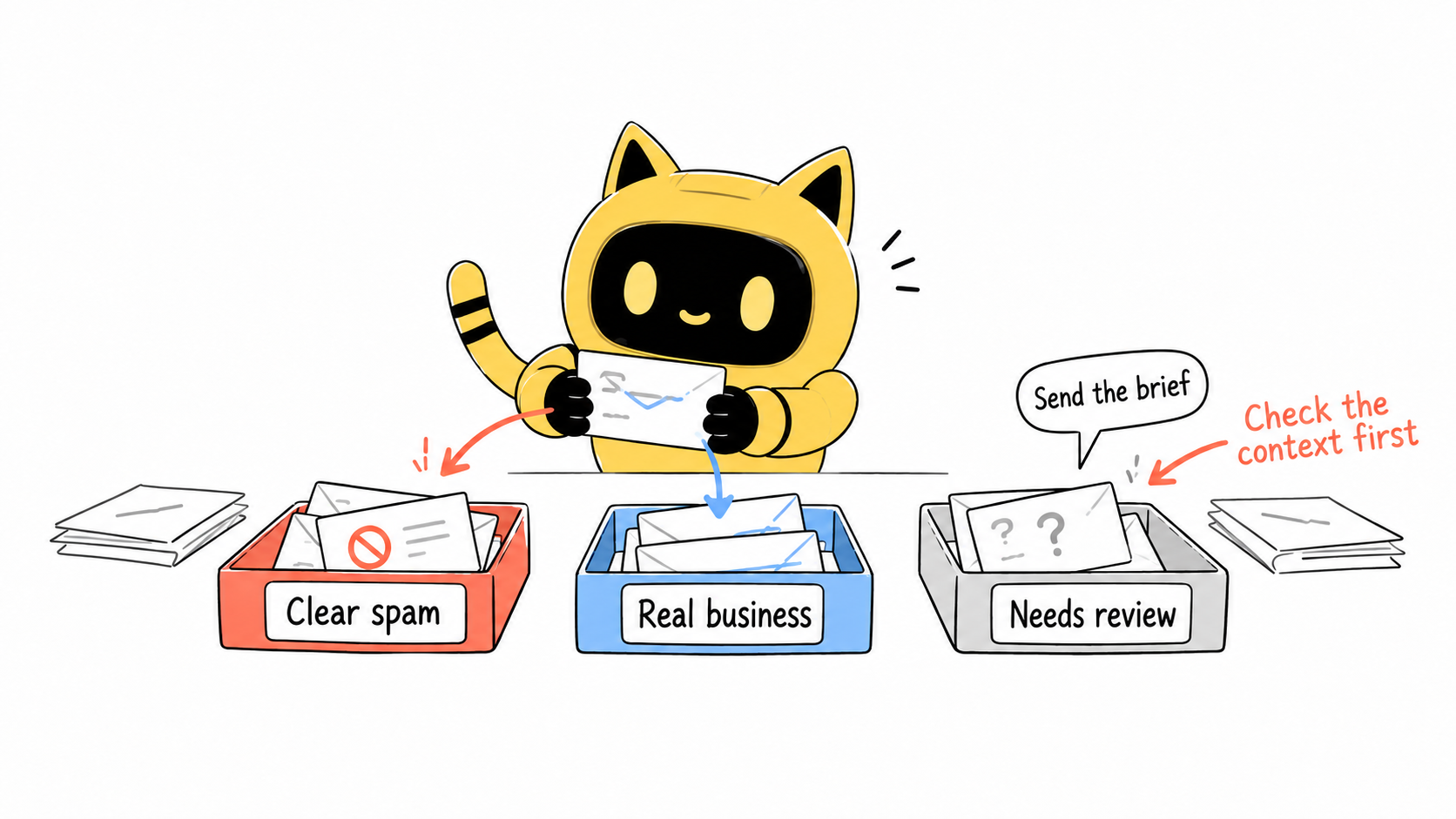
“Send the brief” may be the reply you were waiting for
Without the earlier invitation, a teammate has little context for that message. Keep the creator's public business contact, initial outreach, conversation and owner together so a reply makes sense.
If a contact changes addresses, verify the context before updating the record. A matching display name alone is not enough. Once the background is clear, it can also help an AI tool prepare a relevant follow-up draft.
In a shared inbox, distinguish unassigned, in progress and complete. “Someone opened it” leaves a rather large gap between reading and doing.
The time-consuming part is often finding the background: who is this, what did we agree, and who should respond? How can the next teammate pick up a creator conversation when the profile and earlier emails are scattered across different places?
OneCrew is an AI workspace for brands to find creators, manage outreach and follow up on collaborations. Connect your brand email to bring creator profiles, earlier messages and collaboration progress together. When a creator replies “Send the brief,” AI can use the original invitation to prepare a reply with the collaboration details for you to review and send. Your team can see the owner and task status, turning an important reply into a clear next action.
If the reply says only “Send the brief,” open the original invitation in OneCrew. Ask the AI to prepare a reply using verified product information and the proposed scope. Review before sending, then connect any open questions to the next task. A short reply can still be actionable when the context is available.
Keep a working way for real customers to contact you
Removing every contact option can make legitimate inquiries harder too. Forms or purpose-specific addresses can help route requests, provided you test the actual journey: submit on a phone, confirm delivery and check that errors are understandable.
After adding a verification step, test ordinary pre-purchase, support and international collaboration inquiries. A successful setting in the admin panel is not the same as a successful submission by a visitor.
Review AI classification before expanding automation
Start with suggested categories, extracted tasks and summaries of recurring patterns. Sample the mistakes, then decide which actions are suitable for automation. Check that the chosen tool fits your team's data-handling requirements.
Keep early classification decisions reversible. If legitimate messages are recoverable, the team can correct mistakes and improve the rules.
When asking AI to help assess a creator reply, use the contact's conversation in OneCrew and request the supporting message and suggested next step. Check the original email before deciding how to handle it. Reviewing the context before drafting reduces the chance of treating a genuine partnership response as unrelated promotion.
How will you know the inbox is improving?
Track missed important messages, the review backlog, time to first handling and the false positives you find. If both spam and customer replies fall, check whether legitimate messages are being filtered out.
Set a regular time to clear the uncertain-message queue. The useful outcome is that relevant messages reach an owner and receive a timely response.
Start by checking for missed replies
Start by reviewing a few uncertain messages for missed partnerships. Use OneCrew to check the contact and original invitation, prepare the needed reply and define the next action. The goal is to keep important conversations moving, not simply to reduce the unread count.



