How to Vet YouTube Creators for Product Reviews: A Practical Checklist
A practical way to assess YouTube review creators: compare relevant videos, confirm audience evidence, and agree on the scope. Includes a checklist and outreach template.


You have a shortlist of YouTube channels. The subscriber counts look promising, and the videos look polished. But before you send a sample or discuss a fee, two questions remain: can this creator explain your product well, and are they reaching the people you want to reach?
Start with four checks: consistent coverage of relevant topics, recent performance across comparable videos, evidence of hands-on testing, and audience data that supports your target market. Subscriber count gives you a sense of scale. The collaboration decision needs more specific evidence.
To make the process concrete, we’ll use a home espresso machine aimed at US customers. This is a hypothetical planning example, not a real campaign or a claim about results.
Still working through an AI-generated list? Start with how to review AI-recommended YouTube creators. This checklist takes the next step: assessing a potential review partnership, with a closer look at content, audience evidence, and the proposed deliverables.
1. Define what the review needs to help viewers decide
“Find coffee creators” leaves too much open. A channel about café visits, one teaching latte art, and one testing machines may all cover coffee, but they offer different kinds of content.
For a machine designed for everyday home use, write the brief as one clear sentence: Show US home-coffee enthusiasts the full routine, from setup and brewing to cleanup, and explain which everyday habits the machine suits.
Next, list the demonstrations you need: operating the machine, cleaning it afterward, and showing how its size and workflow affect daily use. Base product statements on confirmed specifications and actual testing.
Now you can assess each channel against a clear task. Has the creator shown a similar process before? Do they explain the conditions behind their conclusions? Attractive close-ups and a list of specifications alone do not establish that they can deliver this review.
As your list grows, the team is more likely to lose the reason for choosing a channel than the channel link itself. OneCrew is a creator discovery and outreach tool for brands expanding internationally. Ask an AI connected to OneCrew to search YouTube against this review brief, then save the verified channel, public contact route, and reason for fit in the same creator record. The next person sees a concrete note such as “demonstrates cleanup; target market still to confirm” instead of having to reconstruct the shortlist.
2. Compare similar videos instead of relying on one breakout hit
For an initial review, try collecting five to ten relevant long-form videos from the past 90 days. That is a practical starting point, not an industry benchmark. If the channel publishes less often, extend the period and record how many videos you actually reviewed.
For each video, save the link, publication date, format, product covered, view count at the time of your check, and the date you recorded it. Separate long-form videos, Shorts, and livestreams before comparing similar subjects and formats. A video posted yesterday has also had much less time to accumulate views than one published three months ago.
For a quick overview, calculate the median view count for that comparable set, keeping the highest and lowest values and the individual records alongside it. This helps describe your sample; it does not predict the views a future sponsored video will receive.
Keep channel and video metrics distinct. Subscriber count belongs to the channel, while an individual video has its own view count. YouTube’s official API documentation defines them separately and notes that channel subscriber counts are rounded down to three significant figures. Neither number, on its own, establishes purchase intent. YouTube channel documentation, video documentation.
Make your fit notes specific: “Several recent, full-length reviews of home machines; links saved” is more useful than “high-quality audience.” The first statement can be checked. The second still needs support. Save the comparable video links, check date, and conclusion in the creator’s OneCrew record. If the numbers change later, the team can still see which set you compared instead of inheriting a spreadsheet with no context.
3. Watch how the creator actually tests a product
For channels that make it to the next round, watch at least two videos closely related to your brief in full. Note timestamps as you go, and ask:
- Does the creator use the product, or mainly describe its features and appearance?
- Are the testing conditions clear enough to understand the conclusions?
- Do they explain who the product suits and when the experience might differ?
- Can the filming and explanation support the demonstrations your brief requires?
In the espresso-machine example, footage of a finished drink does not show that the creator can demonstrate daily cleanup. A useful note would be: “Brewing process is clear; cleanup is not shown. Confirm whether they are willing to include it.”
Read the comments for specific questions, too. Are viewers asking about cleaning, adjustments, or choosing between products? Those questions can help shape the review brief. An individual comment does not establish the channel’s overall audience profile or support a sales forecast.
Apply the same discipline to previous sponsored work. Record what is visible: sponsorship disclosures, the content delivered, and how the product was used. Fees, campaign results, and a brand’s assessment of the partnership need separate confirmation if they are not public.
After watching, add the timestamps, demonstrated actions, and open questions to the fit context in OneCrew. A note such as “operates the machine at 03:20; cleanup not shown; confirm whether it can be added” gives an AI connected to OneCrew enough verified context to compare candidates, and gives the next teammate evidence they can check.
4. Confirm the audience with the right report
An English-language channel does not necessarily have a primarily US audience. The country field in YouTube’s channel resource identifies the country associated with the channel, not where its viewers live. YouTube channel country field.
Ask the creator to share relevant YouTube Analytics audience information with the reporting period and metric visible. YouTube describes its Top geographies report as showing the locations with the most watch time for a channel. It answers a different question from public subscriber count. YouTube audience reports.
Avoid treating a cropped percentage as sufficient evidence. Establish whether the report covers the whole channel or a particular video, which dates it includes, and what the percentage measures. Channel-wide data can help with initial screening. If your planned review differs substantially from the creator’s usual content, discuss that fit separately.
Some audience data may be unavailable because of limited traffic or privacy thresholds. Mark missing information as “to confirm,” then ask whether another period or relevant report is available. Do not turn a missing value into zero. YouTube Analytics data limitations.
If audience evidence or filming scope is still missing, start with this contact template. Replace every bracketed field before sending:
Subject: Home espresso machine review collaboration
Hi [Name],
We’re looking for a creator to review a home espresso machine. I watched your video on [specific product/video link] and would love to learn more about how you approach [specific part of the demonstration].
For this project, we’d like to show [key use case] to viewers in [target market]. Would you be comfortable sharing a recent audience geography report, with the date range and metric visible? If you have relevant audience information for similar reviews, that would also help us assess the fit.
Could you also let us know whether you’d be interested in filming [required demonstration], your expected production timeline, and what your fee would include?
Thanks, [Name]
Before sending, put the channel, specific video, and review requirements into OneCrew, then ask the connected AI to prepare a personalized draft from that evidence. The owner reviews it before sending. When a reply arrives, separate confirmed information from open questions so the next teammate can immediately see whether you are waiting for audience evidence, agreement on filming scope, or a quote.
5. Give each candidate a clear next step
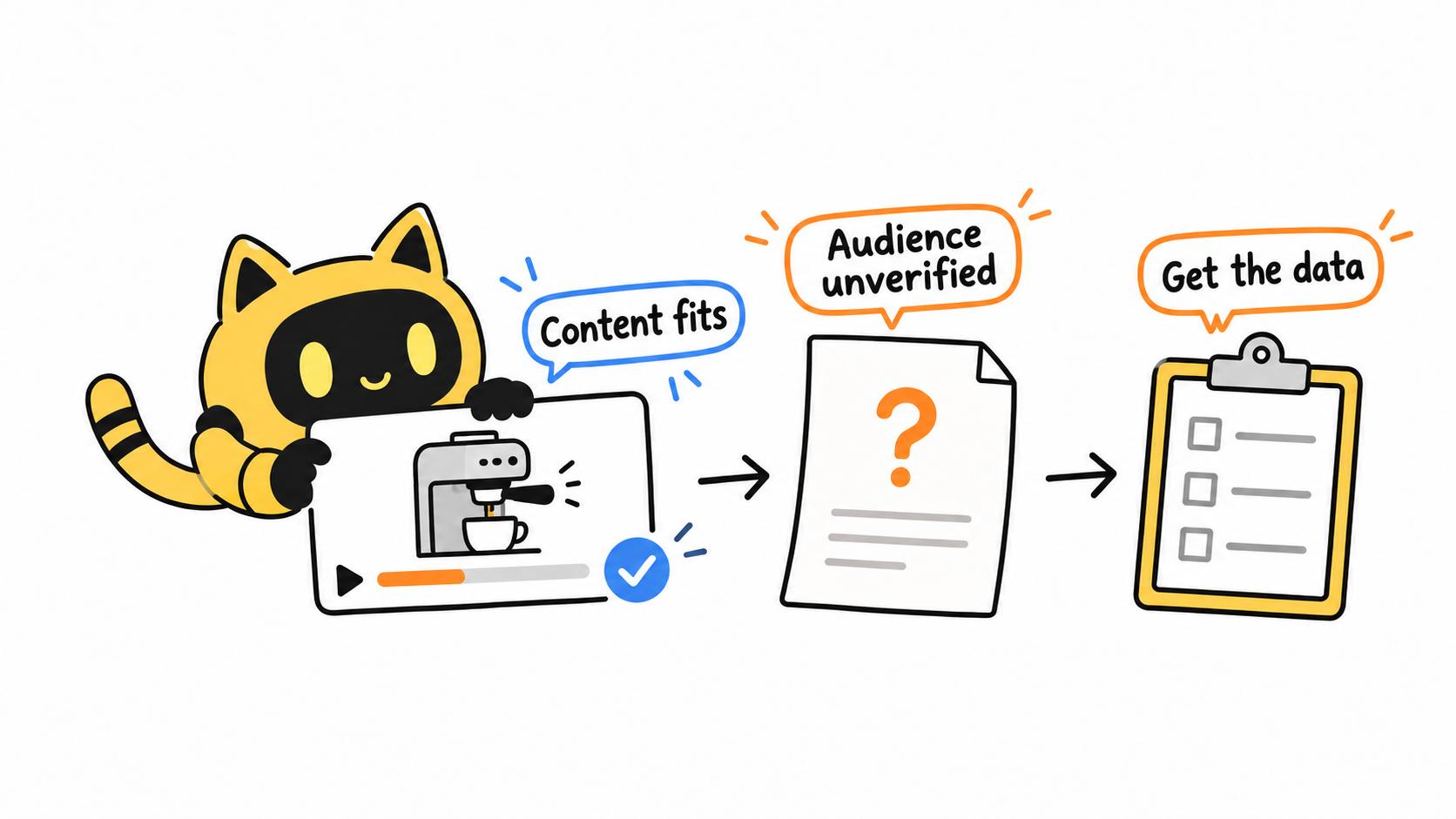
You do not need a total score to make an initial decision. Distinguishing “supported,” “needs confirmation,” and “does not meet this brief” can make the next action clearer. The examples below continue the hypothetical espresso-machine scenario; replace them with your own evidence.
| Check | Evidence to keep | Example or decision prompt |
|---|---|---|
| Channel identity | Channel URL, channel ID, date checked | Use the stable ID to distinguish channels with similar names. |
| Topic fit | Relevant video links and specific coverage | Does the channel regularly review home machines? |
| Ability to deliver | Timestamps and demonstrations shown | Brewing is demonstrated; cleanup needs confirmation. |
| Recent performance | Comparable videos, publication dates, view counts, dates checked | Separate long-form and Shorts; keep the sample period visible. |
| Viewer questions | Comment links or a location you can find again | Record specific questions about use or buying decisions. |
| Target market | Creator-shared report, reporting period, metric | Mark as “to confirm” until the report is available. |
| Collaboration scope | Agreed content, timing, and fee | Does the proposal include the review you need? |
| Decision | Proceed, request information, or pause—with a reason | Topic fits; request audience information before discussing a firm schedule. |
| Follow-up | Owner, next action, agreed follow-up date | Assign someone to confirm missing information and update progress. |
Carry the decision into OneCrew: schedule the next action for candidates who meet the brief, create an information request for those with gaps, and keep the reason when a candidate is paused. Putting the owner, next step, and follow-up date together turns the checklist into an active partnership workflow instead of a file that disappears after review.
Moving a channel forward depends on the project’s essential requirements. If the topic and filming style fit but audience information is missing, request it. If the creator cannot deliver a required demonstration, record the reason and pause. You do not need to turn unknowns into a precise-looking score just to rank the list.
Start with a few candidates and keep the reasons for choosing them
The goal of vetting YouTube review creators is a shortlist your team can act on. Each candidate should have supporting content, open questions, and a next step—not just a subscriber count.
Start with three candidates, complete a first pass with the checklist, and save each person’s supporting content, missing information, and next step in OneCrew. Resolve the most important gap first. Your next invitation can then explain exactly why you chose that creator and what you would like to make together.



