Using AI to revoice a creator’s video? Agree on the scope first
Before revoicing a creator’s video, agree on the voice, script, channels, dates, and future model use. Includes a scope checklist, follow-up email, and review steps.

A creator delivers the video. Your team wants a different opening, an extra product detail, and perhaps a version in another language. Someone suggests using AI so the creator does not have to record again.
First, spell out what that means. Are you adding a different narrator, or generating new lines that sound like the creator? Before uploading recordings or generating audio, agree on whose voice you will use, the script, where and how long the result will run, and whether a reusable voice model will remain. A broad agreement to adapt footage does not tell the production team whether those specific arrangements have been discussed.
In a Reddit question about AI voice use, a creator worried that a contract might allow unlimited use of a synthetic version of their voice. They were comfortable with AI narration over raw footage but unsure whether the wording also covered imitating their own voice for other purposes. A brand and a creator can both say “AI voiceover” while imagining very different work.
1. Describe the change you actually want to make
Put the original video, existing script, and proposed lines together. Then explain where the new voice will come from. You do not need a technical pitch to make the proposal clear.
Distinguish between cleaning up noise or pauses in the original recording, replacing the track with a different narrator, and generating new speech that sounds like the creator. For that last option, also explain whether you intend to generate a single version or retain a voice model for future use. List these separately rather than combining them into one “AI permitted” checkbox.
For example, suppose a team wants to change “This cup comes in two colors” to “There’s now another color available.” Send the proposed line and its intended placement to the creator as a new version to review. For another language, include the original, the translation, and a back-translation the creator can understand. Explain whether the result could appear to be a new recommendation recorded by the creator themselves.
The agreement may be spread across a quote, an email thread, and later messages. OneCrew helps teams organize creator information, outreach conversations, and collaboration records. An AI connected to OneCrew can read recorded conversations and work with the original wording and production plan you provide to separate explicit answers from open questions. Bring in agreements made elsewhere, too, so missing records do not become assumed permission.
Try a request like this:
Compare this creator’s recorded conversations with the proposed voiceover plan. List what has been confirmed about the voice source, new lines, languages, channels, duration, and model use. Include the supporting message for each answer. Leave anything without a clear response open, and draft a follow-up email about those gaps.
2. Agree on this video—and what happens to the voice afterward
“Can we use AI for this video?” leaves too much unstated. The finished edit, the recordings you upload, and a model that can generate more speech each need their own explanation.
The National Association of Voice Actors’ AI rider addresses voice cloning, machine learning, and transfers of recordings for AI uses. It is an industry contract resource, not a legal rule that automatically applies to every location or collaboration. The useful lesson for a brand team is to ask about specific uses separately.
Use the following table as a discussion attachment. Have the person responsible for contracts review the actual proposal and any contractual wording.
| Scope to confirm | Details to put in writing |
|---|---|
| Source material | The creator, video, and recording involved, identified by filename or version |
| Voice treatment | Editing the original audio, using another narrator, or simulating the creator’s voice |
| Script and languages | The exact script version, new lines, languages, and person checking translations |
| Finished video use | Product, brand accounts, channels, territories, and whether paid ads are included |
| Usage period | Start and end dates, plus what happens to published content and ads afterward |
| Generation and training | Whether you will create a reusable voice model, generate later scripts, or use the material to train or improve other models; record a separate yes, no, or open question for each |
| Provider and access | The tool or provider, project account, and team members or contractors who can access recordings and models |
| Fees and project closure | What the fee covers, how long source files, generated audio, and models will be kept, and what happens to them at the end |
The production owner should check the provider’s actual settings before making promises. File retention, training use, sharing permissions, and deletion options must match the arrangement proposed to the creator. “We’ll delete it afterward” should not be recorded as one answer covering the source recording, finished video, and reusable model.
Give the table and the creator’s responses to an AI connected to OneCrew to prepare an evidence-based summary. For example, permission for this English edit may be explicit while future lines for another product remain unanswered. Save the summary and links to the original messages in the creator’s notes, retaining existing collaboration history when updating them. The next person handling the project can then see exactly what was agreed.
3. Send a follow-up about the gaps in your actual plan
Have your team fill in the proposal first. Asking “What AI uses would you be comfortable with?” makes the creator design the whole arrangement for you.
Subject: Please review the proposed AI voiceover for [video]
Hi [Name],
We’d like to make a new voiceover version of [original video/file version]. Here is the proposal for your review before we begin.
Voice and script: We plan to [edit the original recording / use another narrator / simulate your voice] for [script version and language]. We’ve attached the original lines, proposed lines, and a summary of the changes.
Where it will run: The finished version would be used for [product, accounts, channels, territories, and paid-ad use], from [start date] to [end date].
Production arrangements: [Production owner/provider] would process the material using [tool and project account]. [Explain separately whether a reusable voice model will be created, whether training is involved, and how files and models will be retained and handled at the end.]
Review and fee: The proposed fee is [amount and included uses]. We would first agree on the script and scope above, then produce a sample within that scope. You would review [audio sample/final edit and version] before it enters the agreed publishing process.
We already have confirmation of [items and supporting messages]. The remaining questions are [specific gaps]. Please let us know which parts you accept and what you would like changed. If you do not want us to simulate your voice, we can discuss another narration approach.
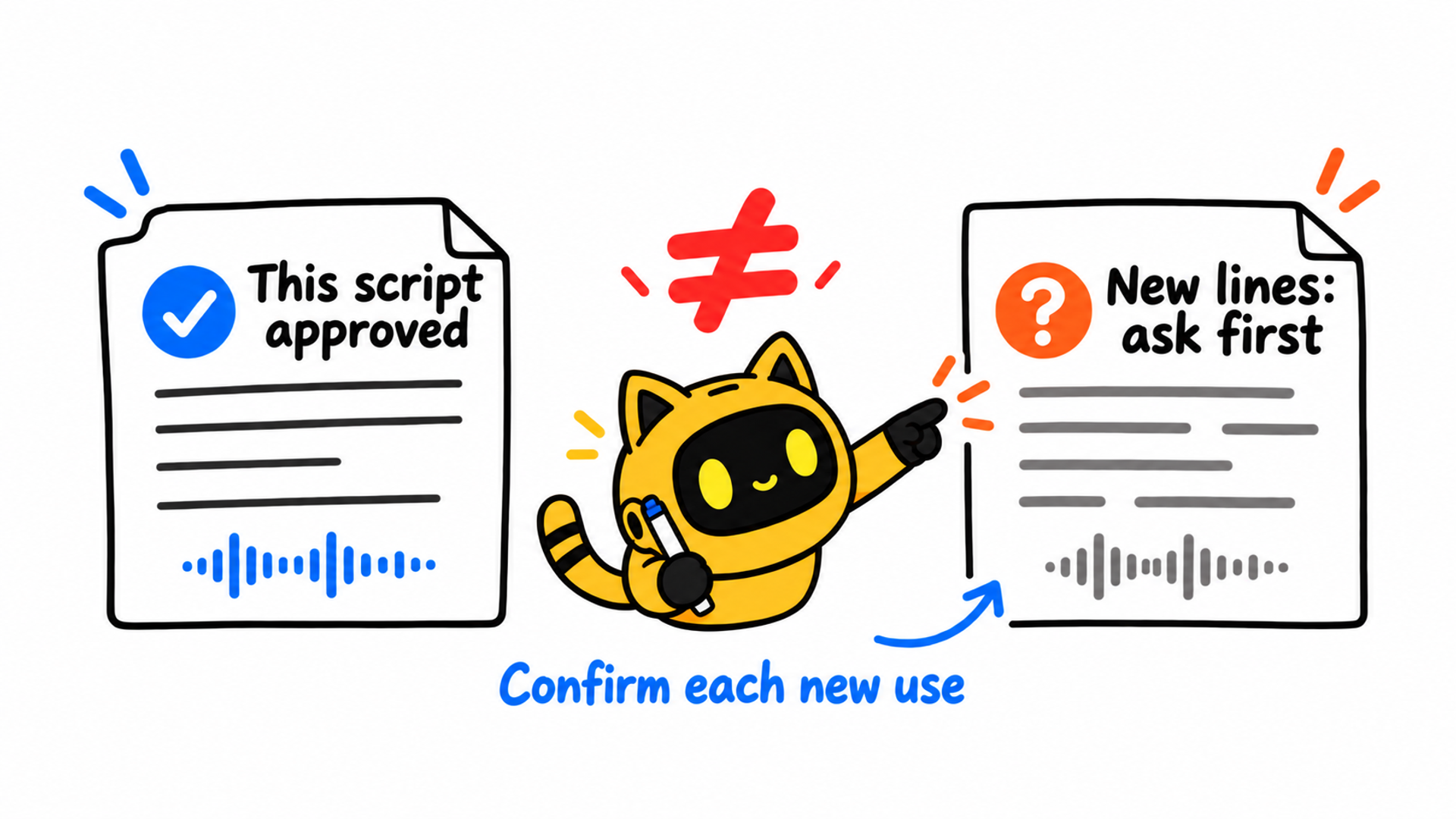
If we later need new lines, another product, or additional channels, we’ll send you the proposed changes for confirmation first. Thank you!
Replace every bracket with the actual plan, and resolve any unverified provider arrangements before sending. An AI connected to OneCrew can use the conversation history and scope table to draft this email, retaining confirmed terms and focusing on unanswered questions. The project owner should check the script attachment, scope, and fee before it goes out.
If the creator replies only “The English lines look good,” attach that response to those lines and that version. Keep questions about voice models or other uses open. One answer should not turn the entire table into an approval.
4. Confirm the plan before generation and the edit before release
Use two review points. The first comes before uploading recordings, creating a voice model, or generating new audio: agree on the production plan. The second comes after the edit is ready: check that the result matches the plan. Feedback on a sample should not be used to fill in an earlier, unanswered question about uploading or training.
The production owner can check the wording, pronunciation of brand and product names, translation accuracy, and any unintended promises conveyed by the tone. Check whether the combined audio and picture appear to attribute an experience or recommendation to the creator that they have not confirmed. Send time-stamped review points with the script version and finished edit.
If the original footage discusses one product but the generated audio recommends another, bring that change back for confirmation. A convincing voice and a smooth edit do not settle the content question. The person publishing should also check the destination platform’s current requirements for synthetic content and commercial disclosures and apply them to this upload.
Keep the confirmed script, edit version, uses, dates, and response links in the creator’s OneCrew notes. Store larger files in your team’s agreed location and record their links. When asking the connected AI for a handoff summary, request separate entries for the agreed plan, the approved edit, and changes still awaiting a reply. Editors, creator managers, and media buyers then have a common record to work from.
5. Before the next script, check how far this agreement goes
A reusable voice model may support many content ideas, but the collaboration record needs to show which ones were actually agreed. Before changing the product, adding a language, extending an ad campaign, or handing the work to another production company, compare the new request with the current record and identify what needs another answer.
For broader questions about channels, usage periods, and file delivery, use the creator content reuse checklist alongside this one. The additional question here is whether approval of the finished video covers the voice-generation use you now have in mind.
At project closure, have the people who control the accounts and files check the agreed access, retention, ad-stop, and deletion arrangements and record what has actually happened. “Deletion requested” is different from “all relevant material deleted.” Leave an owner and a follow-up date against unfinished items.
To prepare your next voiceover request, start with an existing creator conversation in OneCrew. Add the original lines, proposed script, and voice-treatment plan, then ask the connected AI to organize the open questions and draft a specific follow-up the creator can answer.



