Before a Creator Films Your App: Prepare Access and Demo Data
Prepare the demo path, account permissions, sample data and app version before filming. Includes an environment checklist and recording-readiness email.

The script is approved, but the creator opens the app and cannot reach the feature they need to film. The account lacks access, the sample project is empty, or the interface no longer matches the script. Before recording, walk through the exact route: where to start, which test account to use, what data should appear, and what the final action should produce.
An app-demonstration video service listing includes a demo account or test login among the materials a client should provide. This is a production requirement, not a reported failed engagement. The checklist below turns that requirement into a practical handoff.
Define one complete demonstration path
“Show the main features” is too vague. For a task-management demo, specify the sample project to open, the task to create, the assignment to make and the final state to show. Verify every step before filming. A marketing outcome should not stand in for something the software actually does.
OneCrew provides creator discovery, email workflows and workspace tables. Use a table to organize the demo path, test results, product owner and missing materials, then prepare a handoff draft from the synced conversation. Your software team provisions access; the collaboration record makes readiness visible.
Check permissions, sample data and expiry together
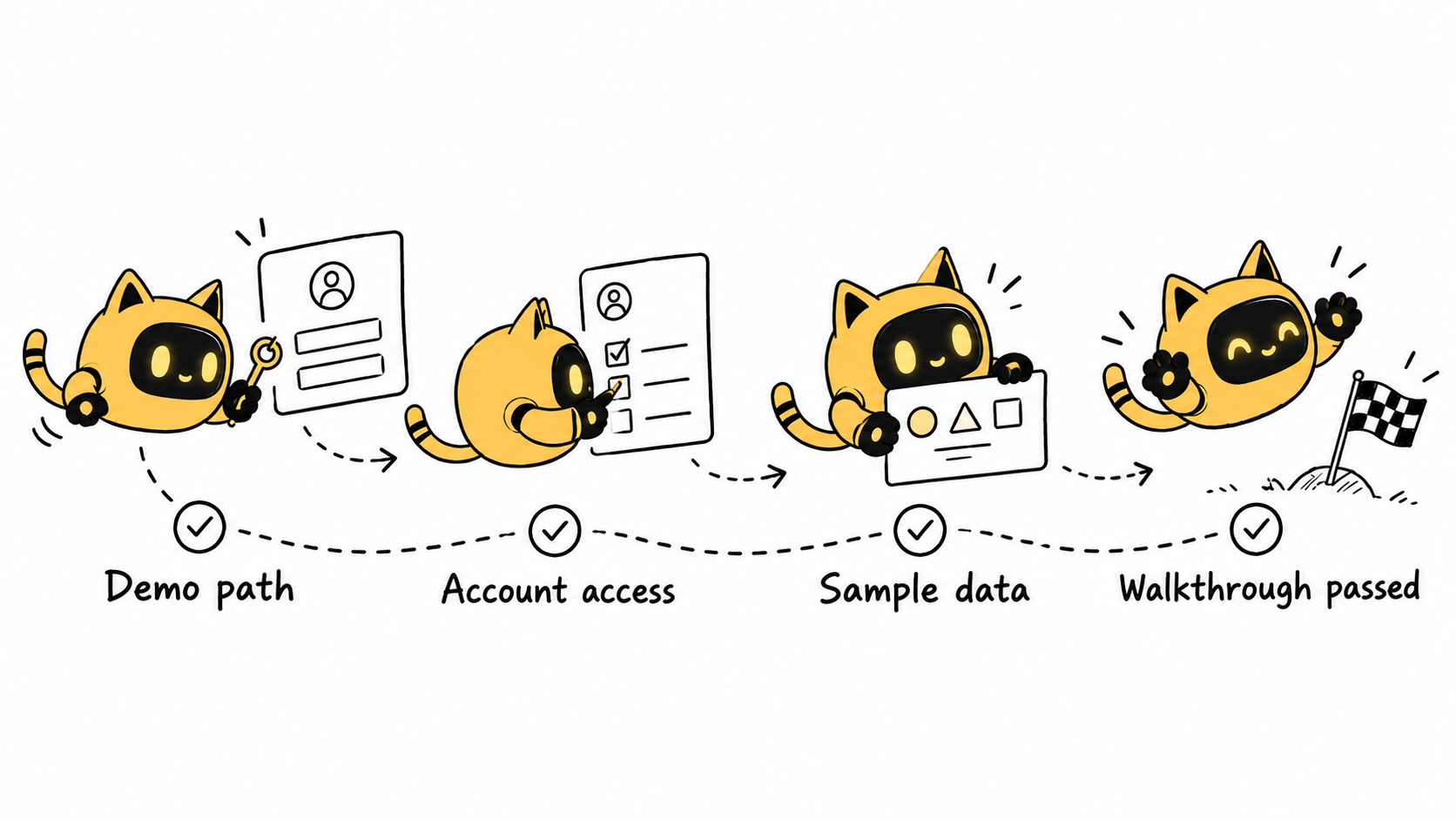
Use a suitable test environment prepared by the software team. Give the account the access needed for the agreed demonstration, and use data cleared for public display. A successful login does not prove that every required button works. An active trial does not establish that all features will remain available throughout production.
| Handoff item | Ready means | Question for the owner |
|---|---|---|
| Demo path | Every planned step works in sequence | What should the final screen show? |
| Account and access | The required actions are available | When does access expire, and who fixes login issues? |
| Sample data | Safe to show and reproducible | Can the starting state be restored? |
| Version and device | Match the script and recording brief | Which system, language and app version? |
| Support contact | A responsible person can be reached | When will they respond to a blocker? |
Do not put passwords, verification codes or recovery codes in a shared production table. Deliver access through your team’s approved method and record only the handoff status and owner. Any special device or regional environment requirement belongs in the scope and scheduling discussion.
Ask the creator to walk through it before filming
Have the creator confirm that they can move from the first step to the last. If not, ask for the precise step and observed behavior. That is easier for the product team to investigate than “the app is broken.” Replace real names, notifications or private files with suitable demonstration material before recording.
Use OneCrew to organize feedback by step, symptom, owner and next update, then prepare one consolidated message. Once a blocker is resolved, the person who tests it should update the result and time. Recording readiness should follow the test outcome, not merely the existence of a reply.
A recording-readiness email
Subject: Demo environment and recording check for [app/version]
Hi [name], the planned route is [starting point → actions → result], using script [version link]. Please use [test environment]; access has been shared through [designated method].
Before recording, please confirm that you can complete every step, that the sample data matches the brief, that the screen contains only information cleared for display, and that the device, language and version are correct.
If anything blocks the route, reply with the step, behavior and any shareable screenshot. [Owner] will confirm a fix or revised shot plan by [time], after which we can confirm the recording date.
Check the finished screen recording against the narration
If the product changes during production, establish whether the change is cosmetic or affects the interaction. A new color and a moved control call for different decisions. Do not use an old recording to present a removed feature as current. Identify affected timecodes and agree any additional recording work and timing.
If you are also providing a reference video, use How to Brief Creators With Reference Videos Without Asking for a Copy.
For the next handoff, start a demo-path record in OneCrew, add the access status, sample data and tester, then prepare the readiness message. Many recording problems can be found before the creator presses Record.



