The Creator’s Delivery Link Expired: Recover the Files and Fix the Handoff
Check saved copies and recovery options, then request the correct files. Track receipt, download, verification and archiving with a handoff checklist.


You open a creator's delivery email and the link has expired, even though the worksheet already says “complete.” First look for a usable copy inside the team, then check whether the transfer service offers recovery. If the files remain unavailable, ask the creator to resend them. Track link receipt, download, verification, and archiving as separate steps.
Look for the files, not only the original link
Check the project's designated storage, the receiver's download location, and previous review records. If you find a file with a familiar name, verify the creator, version, required format or resolution, number of files, and whether they open normally. An earlier review export is not automatically the approved final delivery.
A preview page or chat screenshot can help trace the handoff, but it does not establish that the full assets were saved. Ask whether someone actually downloaded them.
OneCrew organizes collaboration worksheets and email history. Keep the delivery email, expected file list, original link, and receiving owner in one record. A recovery or resend request can then specify the exact version that is missing.
Check the service's current recovery conditions
An expired link does not always mean permanent loss, and an account upgrade does not guarantee recovery. For example, WeTransfer's current guidance makes recovery conditional on the recoverable option having been enabled when the transfer was sent, an eligible plan, and the recovery window. Sender deletion can also remove the option. Check the applicable conditions when acting.
Have someone with the right access inspect the available recovery option. If recovery is unavailable or cannot meet the project timing, ask whether the sender still has the original files and arrange another handoff. Recovering a transfer does not extend the rights to use its contents.
Make the resend request specific
Hi [name], the delivery link sent on [date] is no longer downloadable. We checked [internal storage/recovery options] and still need [version and file list]. Please confirm whether you retain those files and can resend them through [agreed method]. If an expiry can be set, please include it.
[Receiver] will download and verify the files and confirm receipt. If this requires additional preparation or falls outside the agreed retention period, please let us know before proceeding.
File-retention responsibilities and periods depend on the actual agreement. The brand's missed download should not silently become an obligation for the creator to store files indefinitely.
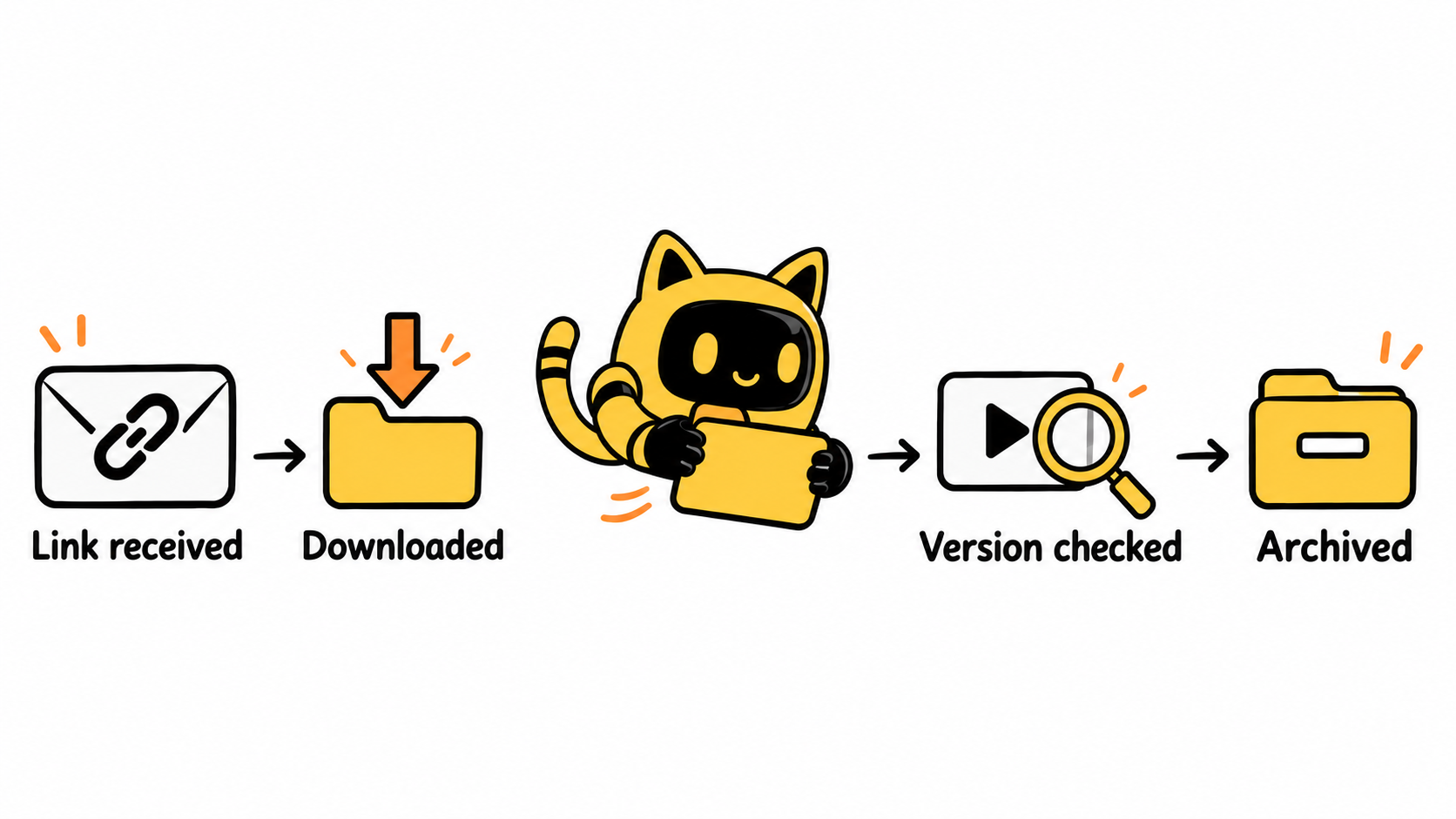
Replace one delivery status with four receiving steps
| Status | Evidence needed |
|---|---|
| Link received | Delivery entry received, with expiry and a named receiver recorded |
| Downloaded | Complete files saved to the team's chosen storage |
| Verified | Count, version, opening, and agreed format checked; content approval tracked separately |
| Archived | Final location, permissions, version labels, and receipt record complete |
Record these states, the storage location, and the next owner in a OneCrew worksheet; keep the actual files in the team's chosen storage system. Update each state after the action happens. A delivery email containing the word “final” is not evidence that all receiving tasks are complete.
Close the handoff with a receipt confirmation
Confirm which files arrived, whether anything is missing, and who will handle content approval. Retain a link to the usage agreement where relevant. Downloading the files does not change its conditions.
If the only saved copy is a watermarked review export, use the final-file handoff checklist to identify the version that should be archived.
Use OneCrew to review collaborations currently marked complete and find records that have a delivery link but no final storage location. Assign the receiving work to a person so the next expired link does not leave the team without its saved files.



