Your First Creator Livestream: Align the Demo, Q&A, and Team Roles
Plan the demo sequence, assign answer owners and rehearse the handoffs. Includes a role checklist and final confirmation email for your first creator live.

Sending a creator a product brief does not settle who will do what once a livestream starts. Questions, demo transitions, and unexpected problems can arrive at the same time. Before going live, agree on a run of show that assigns presenting, demonstrations, answers, and escalation—then rehearse the handoffs.
Choose the main job of the livestream
A product introduction, operating tutorial, and buying Q&A need different sequences. Pick the main task, then decide which demonstrations support it. Avoid turning every selling point and FAQ into a script the host must read.
A workable sequence might introduce the topic and commercial relationship, move into the first demo, collect relevant questions, continue with another demonstration, and close with the confirmed next step. Agree on timing and flexibility with the creator and production team.
OneCrew helps organize creator collaboration information, worksheets, and emails. Save the run-of-show version, contacts for each segment, and unresolved decisions together. The existing email conversation can then inform a confirmation draft that points everyone to the same plan.
Replace “the brand will be online” with named responsibilities
| Role | Responsibility to confirm |
|---|---|
| Creator or host | Present, demonstrate, transition, and route questions when needed |
| Brand answer owner | Confirm product details, prices, and offer conditions |
| Session assistant | Collect questions, give timing cues, and pass issues to their owner |
| Technical contact | Handle picture, sound, and connection issues for the chosen setup |
One person can hold several roles if the tasks are manageable together. Agree on the private communication channel, message labels, and urgent contact method. Do not assume a host can demonstrate a product, read every comment, and notice a price correction in a separate chat at the same moment.
Rehearse the equipment and the handoffs
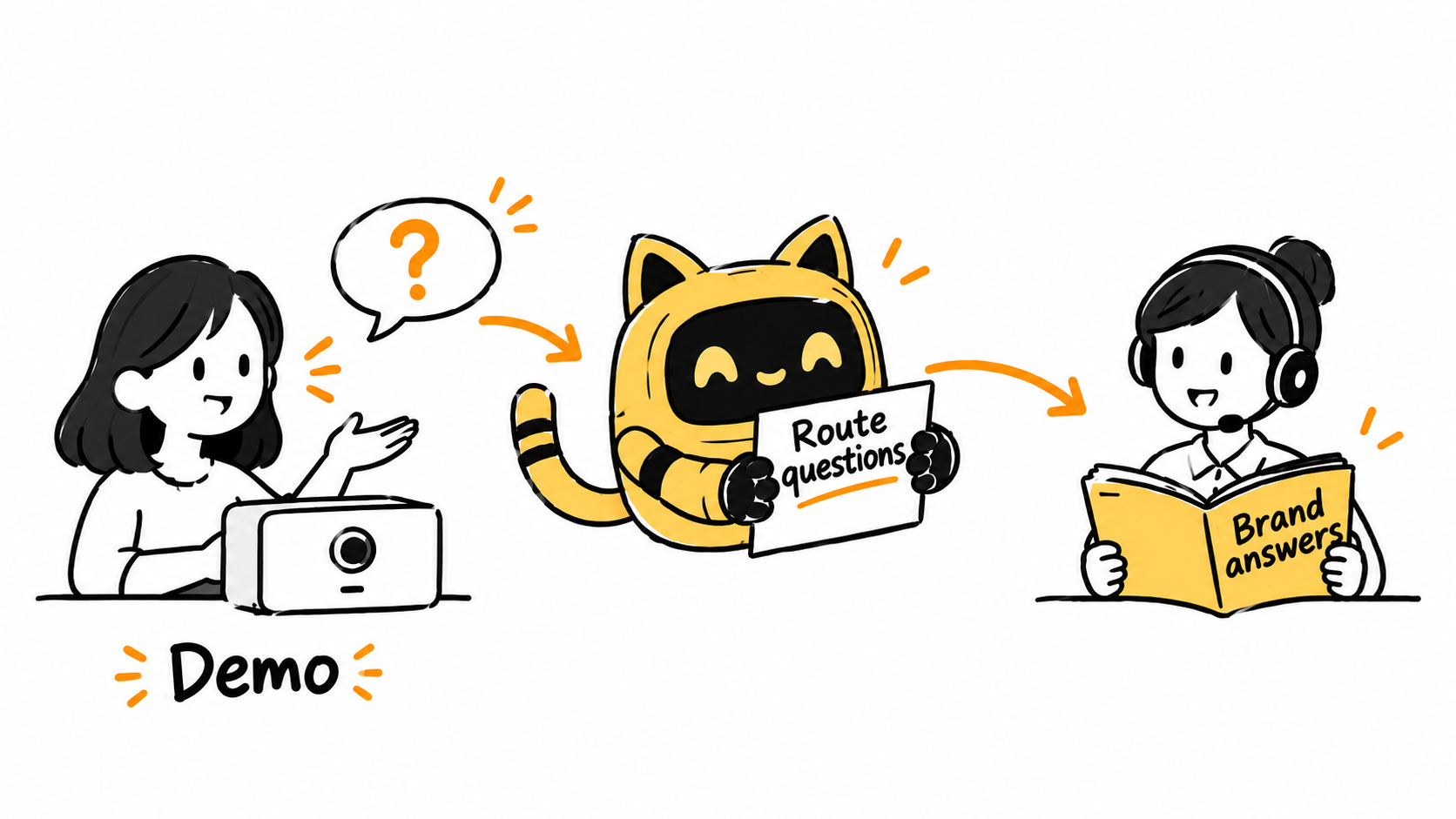
Test the actual sound, picture, connection, and presentation materials. Separately walk through the opening, product transitions, question routing, and close. Include a question the host cannot answer. Check who takes it and how the host continues while someone verifies the information.
If using a nonpublic rehearsal, confirm the platform's available settings and who can access the session first. For every issue, assign an owner and a clear completion condition: “replace the pricing slide and have the brand answer owner verify it” is more actionable than “improve the materials.”
Record rehearsal outcomes, open items, and final document links in OneCrew. AI can use those notes to prepare a participant confirmation draft. The responsible person should verify prices, dates, and product facts before sending it.
Agree on what happens when there is no confirmed answer
Separate questions with an approved answer from those requiring research or later follow-up. Do not improvise a price, feature, or answer about a viewer's individual circumstances. Explain that the brand will confirm the detail, and collect only the information needed through the agreed follow-up process.
If the demonstration or connection fails, follow the agreed choice to pause that action, move to another segment, or end the session. The technical contact handles the technical work; the run of show tells the rest of the team what happens next.
The final pre-live confirmation
Our livestream is scheduled for [date, time, and time zone], focusing on [main task]. The final run of show is [link and version]. [Creator] owns [segments], [name] handles product answers, and technical support is available through [channel].
The remaining open items are [list/none]. Use [confirmed material] for prices, offers, and the next-step link. Route unverified questions to [owner]. Please confirm you have reviewed the changes from rehearsal.
For participants in different time zones, use an explicit time-zone confirmation for both rehearsal and the live session.
Start your livestream record in OneCrew with the sequence, named roles, and unresolved questions. Clear handoffs let the creator focus on the demonstration while the right person confirms the details.



