Sending a Creator to Film in a Store? Check Before They Go
Confirm the store, SKU, entry, filming permission and expenses before travel. Includes departure and exception templates for a practical retail shoot handoff.


A creator reaches the store, but the specified product is unavailable or the planned filming is not allowed. Before travel, confirm the exact location, product version, access conditions, filming scope and expenses. “They live in the right city” is only the start.
A snack-brand recruitment comment requested filming in or near a Texas Costco and mentioned membership reimbursement. The opportunity was marked filled. It did not report a stock or permission failure; the checks below are operational recommendations for that kind of assignment.
Choose a specific store and product
Record the store name and address, exact SKU and intended visit time. A retailer listed on a brand website does not establish availability at every location. A stock check also cannot guarantee stock when the creator arrives. Keep the check method and time, and decide whether another check is needed before departure.
OneCrew helps teams organize creator communication and maintain workspace tables. Keep the store, product, confirmation evidence, owner and travel status in one record, then prepare a confirmation draft using the synced emails. A colleague can distinguish an identified location from a filming plan whose conditions have been checked.
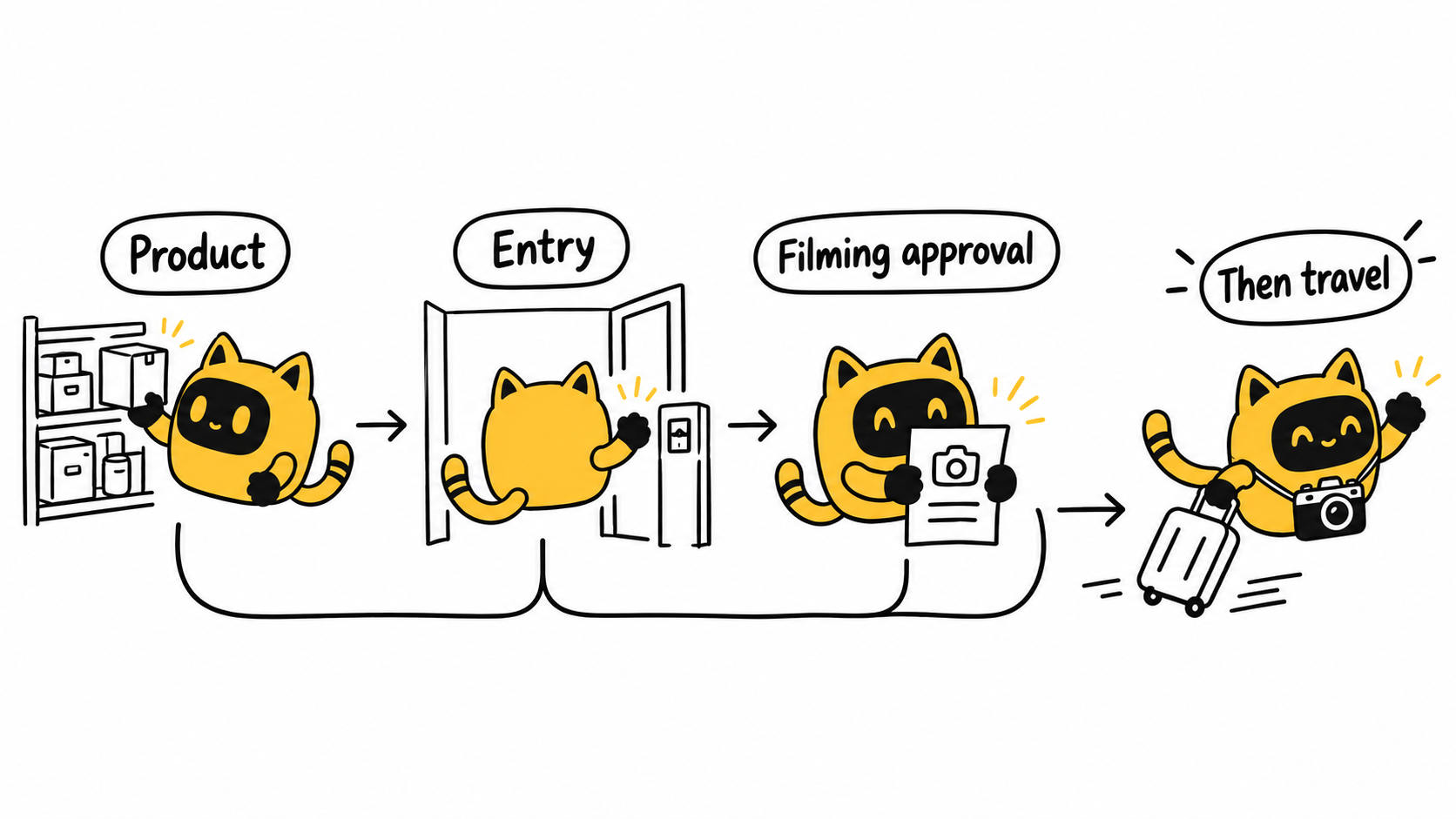
Separate entry, filming approval and permitted shots
Membership addresses entry conditions; it does not itself establish permission to film. Costco’s official guidance directs individuals and businesses seeking to film, photograph or broadcast at its locations to a media request process, with a filming agreement following approval. Follow the actual retailer’s process and approval scope rather than treating a recruitment comment as permission.
Specify the shots you want: storefront, shelf, product selection, checkout area or an unboxing outside. Ask about the permitted scope before including other customers, employees or restricted areas. If staff stop the shoot, use the agreed contact and contingency process.
| Departure condition | What to record | If unresolved |
|---|---|---|
| Product | Store, SKU and stock-check time | Refresh the check or discuss another location |
| Entry | Membership or other access arrangement | Assign someone to resolve it |
| Filming | Approval evidence and allowed shots | Keep those shots unconfirmed |
| Expenses | Purchases, travel, other agreed costs and receipts | Agree responsibility and settlement first |
| Exceptions | Contact for stock or filming problems | Agree whether to wait, reschedule or change the plan |
Agree what happens if the trip cannot produce the shots
“Reasonable expenses reimbursed” leaves practical questions unanswered. Specify covered items, any agreed limit, required receipts and the approval owner. If the product is unavailable, who decides whether to visit another store, return later or stop for the day? A different product or extra location can change the workload and needs a fresh agreement.
In OneCrew, treat “ready to travel” as an evidenced status: who checked each condition, and what limitations remain? If a problem occurs, record the creator’s actual report and next action, then draft a response addressing that situation. This helps prevent several colleagues from issuing different instructions.
Departure and exception templates
Departure confirmation: We plan to film at [specific store] on [date/time], featuring [product/version]. Stock was checked through [method] at [time]. Entry is arranged through [details], and the approved filming scope is [shots]. Expenses follow [agreement]. Please confirm that this matches your understanding before setting out.
On-site update: I arrived at [store] at [time] and encountered [stock, filming or other issue]. I have completed [shots or actions]. I am waiting for [owner] to confirm [rescheduling, another location or another option] before making additional purchases or travelling elsewhere.
Fill the fields with actual information. When an exception arrives, first answer whether the creator should continue, what they should do and how additional arrangements will be handled. Then update the deliverables.
If the creator needs to buy the product, use Asking creators to buy their own samples? Agree on reimbursement before they order.
Start with a store-visit record in OneCrew, add separate evidence for the product, permission and expenses, and prepare the departure draft. Before the creator leaves, the team should know what this shoot depends on.
Reference
Costco: How to obtain approval to film inside a warehouse. Follow the current process and the approval granted for the actual project.



