Need Landscape and Vertical Creator Videos? Plan Both Before Filming
Define both aspect ratios, check essential actions in each frame and agree whether to reframe or film separately. Includes a two-version delivery checklist.


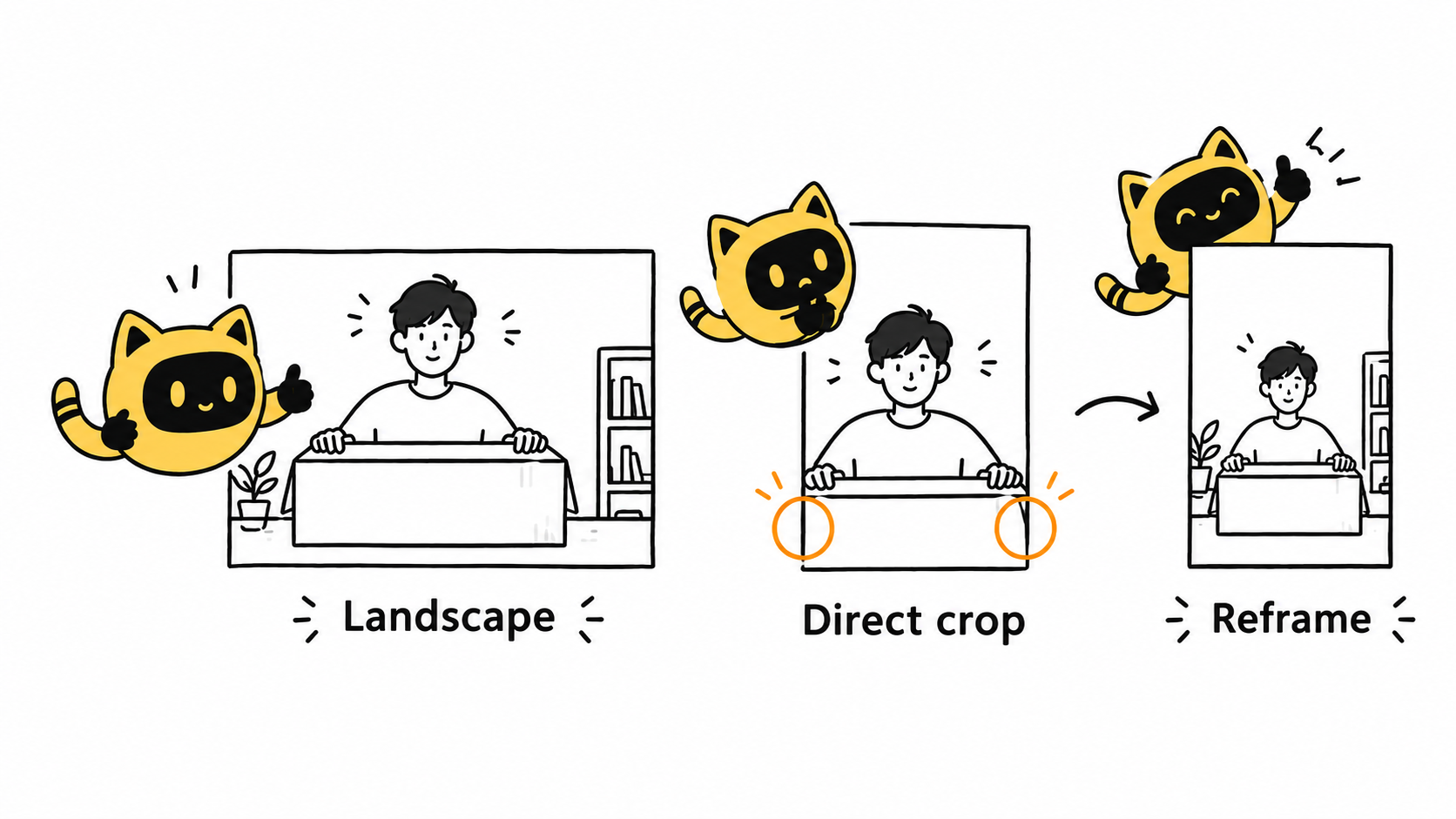
The creator finishes a vertical video, then the brand asks for “a landscape version too.” A tight shot may lose a hand movement or product detail when reframed. If you need both formats, define what each finished video must show before asking the creator to choose a production approach.
In a videography discussion about landscape and portrait shooting, participants describe how cropping a tightly composed shot can remove important content. One set of footage may support both formats, but that needs to be checked rather than assumed.
List two deliverables instead of saying “usable everywhere”
Record each version’s intended use, aspect ratio, length, captions and ending. “The same video” can mean the same creative idea or the same file. If two usable exports are required, put both on the delivery list.
OneCrew is a workspace for creator information, project tables and email workflows. Save the requirements for each version and check which details are already confirmed in the conversation. A follow-up can then focus on the unresolved formats and production arrangements.
Test the framing around a demanding shot
Choose an action most likely to expose the problem, such as opening a wide box with both hands or showing a person and product together. Ask the creator to confirm that the subject, detail and space for captions work in both frames. Discuss a framing sketch or an agreed test image rather than assuming extra unpaid test filming.
- Reframe shared footage: confirm that the essential action survives the crop.
- Film the scene twice: identify the shots that need separate coverage.
- Create different edits: if landscape is a detailed walkthrough and vertical needs a short opening, define both scopes.
Use the current specifications for the actual intended delivery. “Shoot in 4K” is not a substitute for checking the picture. Subject position, shot content and text placement also determine whether a second format works.
Make the differences visible in a short checklist
| Item | Record separately for each version |
|---|---|
| Frame and duration | Aspect ratio, agreed dimensions and target length. |
| Essential picture | People, product details and actions that must remain visible. |
| Text and ending | Changes to captions, brand information and the closing action. |
| Production and delivery | Reframing or separate filming, quote, date and filename. |
If the second format is requested after filming, inspect the available footage before agreeing the cost and timing. When a key action is missing from the crop, compare a replacement shot with a revised content plan. Stretching the picture to fill the frame does not restore the missing content.
Update the OneCrew table with the decision and keep the original request alongside the added version. The delivery-and-revision checklist can help make the file count and review scope explicit.
A format-confirmation email
Hi [Name], we would like a landscape version for [use, ratio and duration] and a vertical version for [use, ratio and duration]. Both need to show [essential action] completely. The text differences are [requirements].
Could you confirm whether the planned footage can be reframed, which shots need separate filming, and the associated quote and delivery time? Let’s agree the two-version checklist before finalizing production.
Open both files during acceptance
Approving landscape does not approve vertical by implication. Check each file for complete product visibility, intact captions, correct sound and the right ending, then record the accepted file links.
Start with the next cross-format project in OneCrew and put both sets of requirements in one record. A framing decision before filming gives the team a concrete basis for acceptance later.



