You Shared a Social Discount 10 Times—How Do You Know a Creator Actually Posted It?
Discount creation is not proof of distribution. Track the offer, creator, public evidence, and two checks during the validity period to verify creator sharing.
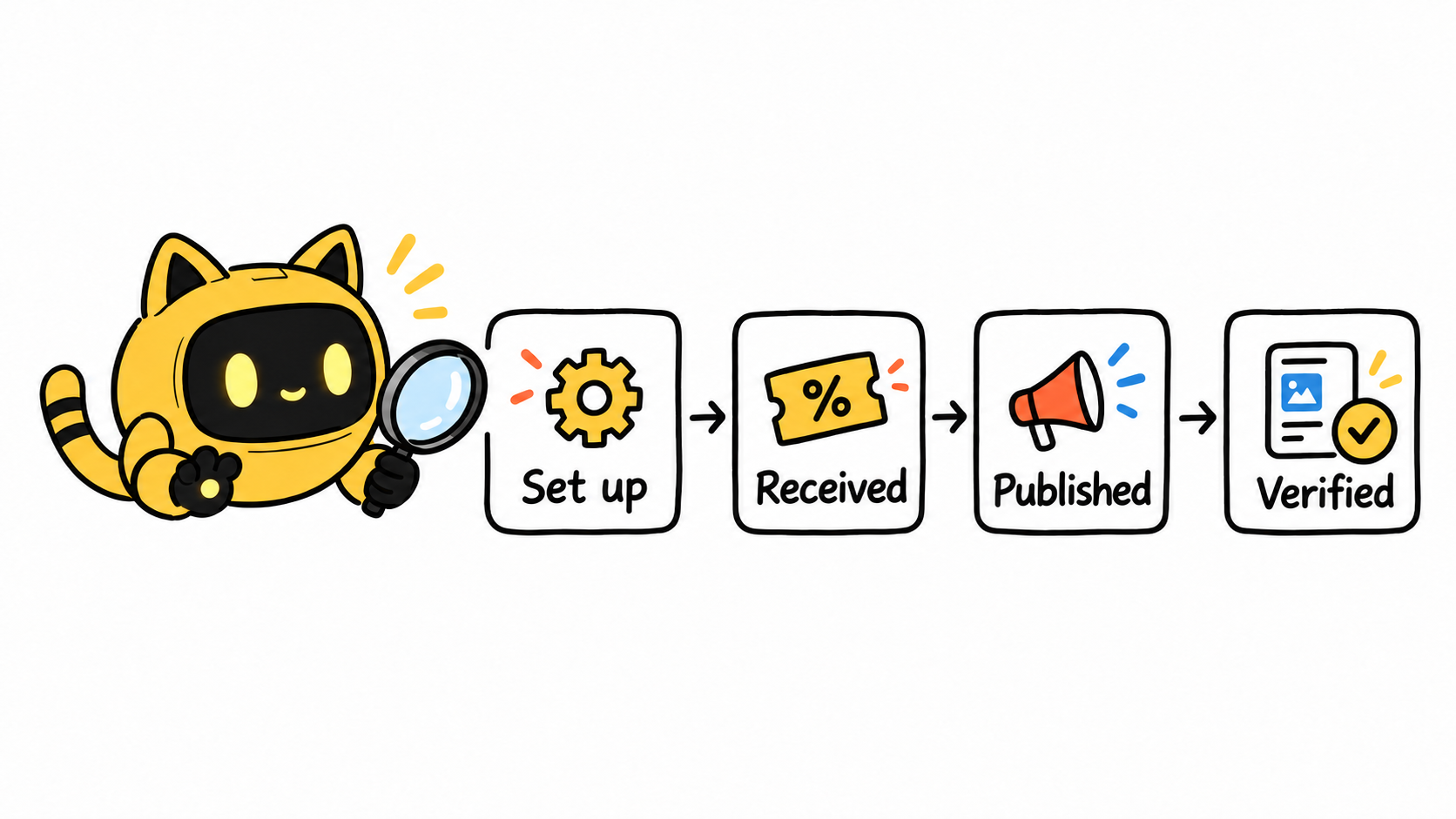
Creating ten social discounts does not mean ten creators shared them. Discount setup, a creator receiving the code or link, public content going live, and a customer using the offer are four different events. When they are collapsed into one status, teams end up staring at campaign names at month-end and guessing what happened. A seller asked a similar question in a public discussion: how can a social promotion be set up so creators are more likely to use it? The post is older, so current platform rules belong in your own seller dashboard; the verification workflow is still useful.
Make one “offer, creator, evidence” record
Give each offer a clear purpose: which creator it supports, which piece of content it relates to, when it expires, and which market or audience it serves. Then record verifiable public evidence in the same row: the post or video URL, the date a screenshot was captured, how temporary content will be saved, or the creator’s confirmed posting date. “Discount created” only proves a configuration step. It does not prove an audience saw anything.
If several creators use the same code, still separate their publication evidence. That makes it possible to review the right post and the right time period when an offer is used—or not used—instead of turning every creator into one ambiguous result.
Once this record passes to another teammate, the details that tend to scatter are what the creator agreed to, which public link has already been saved, and who owns the next check. OneCrew is an AI creator-discovery and outreach workspace for global brands. It keeps a creator’s public conversations, links, and follow-up tasks in one collaboration record. Add the contact, confirmed posting date, and owner while you build the offer-creator-evidence list, so the next verification does not require rebuilding context from a spreadsheet, inbox, and direct messages.
Check twice during the validity window
Make the first check just after the agreed posting date: is the right code or link present, are the stated conditions accurate, and does the destination still work? Make the second check midway through the offer window: add any new posts, videos, or reshares and, if needed, confirm a changed posting date. The point is not to pressure someone to post more. It is to give both sides the same factual view of the current state.
Public content has different visibility windows across platforms, especially temporary formats. Agree in advance on what counts as posting evidence, who saves it, and where it lives. If you need to know whether the discount was redeemed, review the order or attribution data your platform makes available. A published post is not, by itself, a sales result.
When a public link appears, check it against the same record
When the link arrives, first confirm that it is the agreed account and platform. Then check that the code or URL matches the record, that the visible time falls inside the offer window, and that the necessary redemption conditions remain clear. Add the live URL and verification date to the original record rather than creating a separate “posted” spreadsheet. Otherwise one offer quickly develops two competing statuses.
For temporary stories, live replays, or posts that can be edited, save the reviewable evidence you agreed in advance, such as the public URL, page capture, and capture date. That evidence confirms the communication and publishing state; it sits alongside, rather than replacing, the order or attribution data available in your platform.
Subject: Received the live link for [discount code / link] — two quick checks
Hi [Name],
Thanks for sharing the link. We have recorded it as this round’s content on [platform / account]. To keep the verification on the same basis, could you confirm that [discount code / link] is the version used here and that the content will remain visible through [date]?
Once confirmed, we will complete the record for this round. Thank you!
[Name / Brand]
Bring communication and verification back to one collaboration record
Once a creator has been contacted, OneCrew keeps the contact, public conversation, posting links, and verification tasks in the same collaboration record. After reviewing the agreed terms, previous replies, and saved links, the owner can prepare the next message around the current status instead of reconstructing the details from separate records.
For example, when a deadline is near and there is no public post yet, the owner can first review the agreed terms, previous replies, and saved links, then prepare an accurate check-in. Ask only for the facts that need confirmation: whether the posting date changed, which link or code will be used, and which public URL should be returned after publication. That avoids mistaking a setup issue for a creator problem and avoids asking the same question twice because the record is split.
Posting-status check-in template
Subject: Confirming the timing and public link for [discount code / link]
Hi [Name],
I wanted to confirm the current plan for [discount code / link]. We have the validity window as [date] and the content context as [topic / product].
When you have a moment, could you confirm whether the posting date has changed, which link or code you will use, and the public URL you can share once the content is live?
We will continue from the plan confirmed here. Thank you!
[Name / Brand]
After the offer ends, record a decision the next round can use
At the end of the activity, do not stop at “complete” or “no result.” Record at least four things: whether the creator published as agreed, which public content can be reviewed, when the code or link was available, and what should change next time. If platform data is available, record the reporting date and measurement definition separately instead of merging numbers from different systems.
Those conclusions make the next collaboration more concrete. With the same creator, you can refer to a confirmed content format; with a new candidate, you can explain what needs to change in the screening or publishing plan. OneCrew keeps the messages, tasks, and record with the same creator, so the next round starts from confirmed facts.
Turn “did they share it?” into a reviewable process
Before launch, confirm the offer terms and identifier. After publication, save public evidence. During the validity window, verify the link, status, and relevant platform data. After the offer ends, add the outcome and the next-round decision to the creator record. Start with one creator and one offer. With OneCrew tying together the messages and follow-up tasks, your team can see which content is live and which items still need confirmation—not just how many discounts were created.



