The creator accepted your request. Why do Meta partnership ads still show a permissions error?
Creator accepted, but Meta partnership ads still fail? Check usage terms, creator permission, and operator access with a focused email and handoff checklist.
The creator sends a screenshot saying the request was accepted. Your media buyer still cannot create the partnership ad. Asking the creator to accept it again only produces the same screenshot.
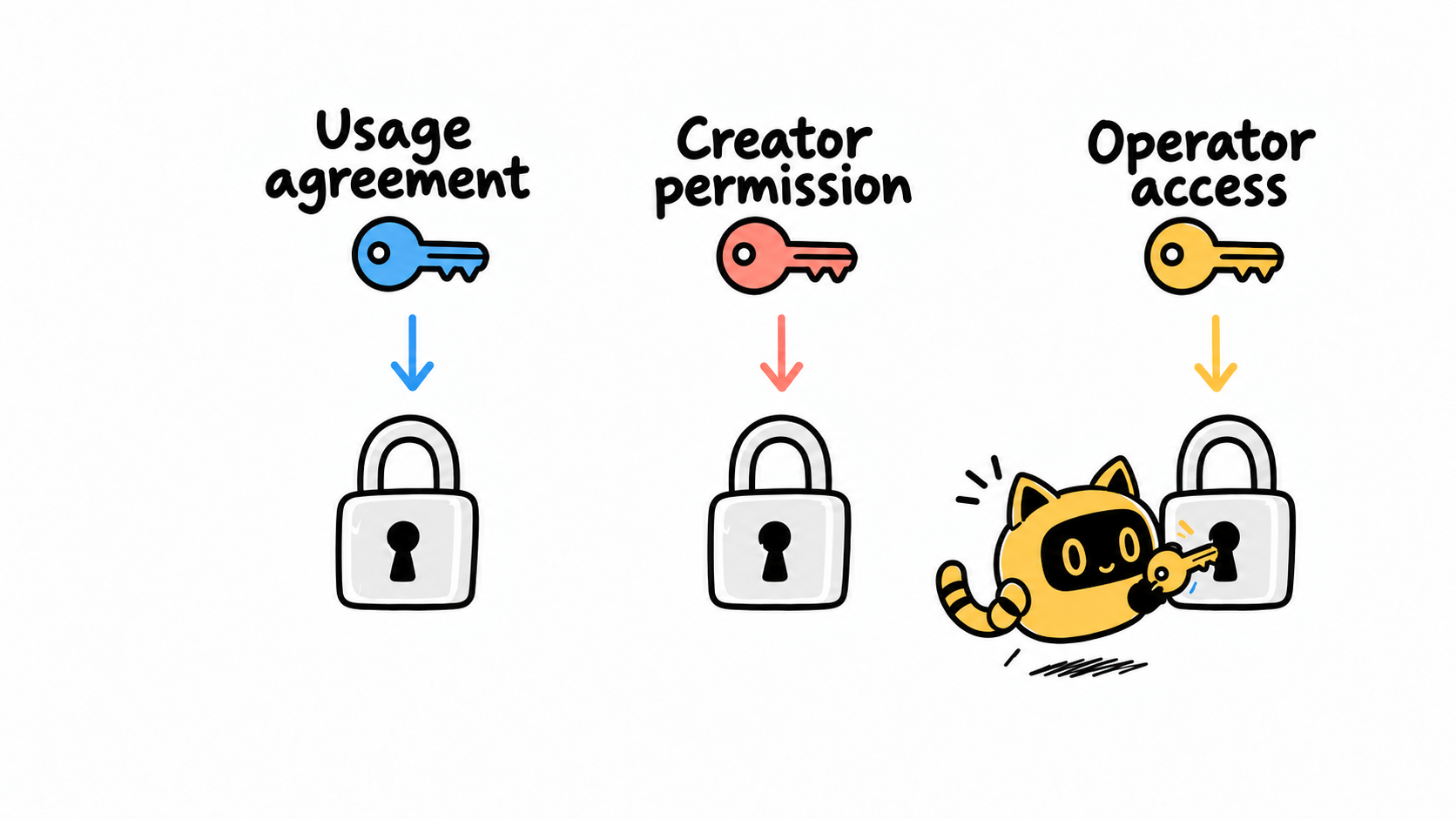
Start by capturing the full error, the step that triggered it, and the exact accounts involved. Then check three things separately: the commercial usage agreement, the creator’s platform permission, and the person running the ad’s access to the brand’s assets. An accepted request is evidence about that request—not proof that every part of the proposed ad setup is ready.
Identify the account and action that failed
An advertiser described this exact situation: creators had accepted partnership requests, but ad creation still returned a permissions error. That report does not establish a single cause or a universal fix.
Ask the media buyer for a compact troubleshooting record: the error text and screenshot, time of occurrence, action attempted, brand account, ad account, creator handle, target content, and the person operating the account. Specify whether the plan uses an existing post or new ad creative. “It says no permission” is too little information to hand off.
OneCrew helps teams manage creator information and collaboration conversations. Review the recorded messages to find the original request and the creator’s confirmation. Add the exact accounts, content reference, location of the error evidence, and troubleshooting owner to the creator notes, preserving the existing history. Outreach and media buying can then work from the same facts.
Check three layers of permission
Use this as a coordination checklist, rather than a diagnosis for every Meta error.
| Layer | Who should confirm it | The question to resolve |
|---|---|---|
| Commercial usage | Collaboration owner and creator | Does the agreement cover this paid use, scope, and period? |
| Creator-side platform permission | Creator or their account administrator | Which brand received permission, and what content or relationship does it cover? |
| Brand-side operator access | Brand administrator, agency, and media buyer | Can the person performing this action use the assets involved? |
Meta’s 2024 partnership ads setup guide distinguishes account-level and content-level permissions and separately covers agency and operator access to assets. Those distinctions are why an accepted partnership request and a media buyer’s ability to use a particular post need separate checks. Follow the options available in the current account interface. Meta partnership ads setup guide
Keep the commercial agreement alongside the technical check. A platform action does not automatically extend a negotiated usage period. Equally, a signed usage agreement does not complete the platform setup.
If the media buyer selected the wrong brand account, the brand administrator should address that first. If the proposed content falls outside the agreed use, the collaboration owner needs to resolve it. Ask the creator to handle the portion they actually control.
Give the creator a question they can answer
“Please check your permissions” transfers the entire investigation to the creator. A useful request identifies both parties, the content, and the specific authorization that needs confirmation.
Adapt this template after confirming the commercial usage terms and the intended permission route with your media buyer.
Subject: Checking the partnership ad permission for [content]
Hi [name], thanks for handling the partnership request. We’re preparing to use [content link/asset name] under our agreed [usage scope and period]. The brand account is [exact account], and your account is [exact handle].
Our media buyer sees [exact error] when [specific action]. We’re checking the brand-side accounts and operator access in parallel. Could you confirm whether your current permission applies to the brand account above and the content we plan to use?
A reply with the current status, or a screenshot showing only the relevant account and permission, would help. Please hide unrelated information. We’ll pass it to [media buyer] and let you know whether any further action is needed. Thank you!
In OneCrew, review the recorded authorization conversation before preparing the email for the confirmed contact. If the creator already supplied the relevant status, refer to that message and ask about the remaining mismatch. The appropriate account owner checks or changes the actual settings in Meta.
Do not ask for passwords, verification codes, or unrelated administrative access. If a different scope of permission is needed, explain the use and boundaries so the account holder can decide.
Hand back a test result, not just “done”
After the creator replies, have the media buyer return to the step that originally failed. Record:
- The brand account, ad account, creator account, and content used in the check.
- The confirmed permission and who verified it.
- The operator, time, and whether the original error still appears.
- Any new error and the checks already completed, for the administrator or official support team.
A successful permission check does not establish ad approval or authorize immediate spending. Creative, budget, and launch decisions still follow the team’s existing approval process.
Add the result and any remaining owner to the creator’s OneCrew notes. “Permissions fixed” is vague. “On [date], [media buyer] verified the creation step with [content]; [owner] will decide on launch” gives the next person usable context.
If paid usage has not been agreed, start with the questions to settle before reusing creator content before checking platform permissions.
Common questions
If the creator accepted, must this be a platform bug?
No. First confirm that everyone means the same request, accounts, and content, then check operator access. If the setup appears consistent but the error persists, give official support the complete troubleshooting record instead of repeatedly sending the same invitation.
Could we just run the ad from the brand’s own account?
That may change the presentation and agreed use. Have the media buyer and collaboration owner evaluate it against the existing terms. A workaround should not quietly introduce an unconfirmed use of the creator’s content.
Open the creator’s OneCrew record and locate the evidence for exactly which request was accepted. Add the intended accounts and content, then prepare a message about the unresolved part. Troubleshooting becomes much easier when everyone is checking the same setup.



